Tag: Exchange Server

  • Understanding IT Career Paths — Part 2

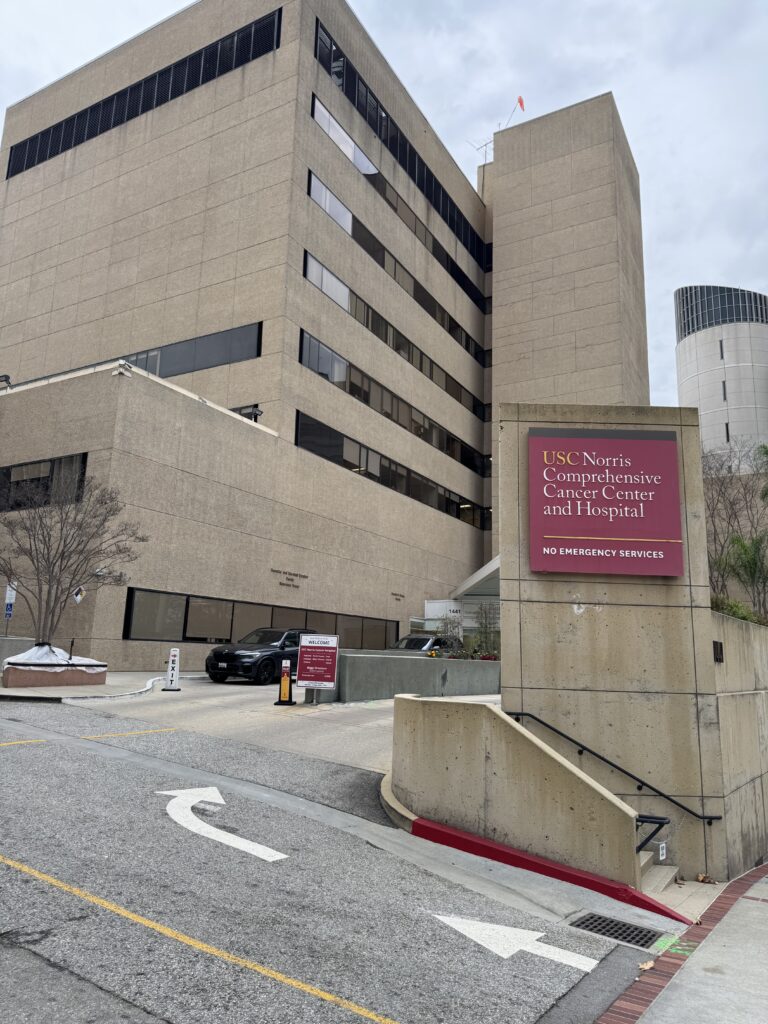
    USC Norris Cancer Center — one of the early enterprise environments where I supported large-scale infrastructure and user systems during the early days of my IT career.

    Infrastructure in the Real World


    After years of school, sacrifice, and helping people fix computers for free, my first real opportunity in IT finally arrived.

    At the time, I was still attending Los Angeles College full time during the week and Devry Institute of Technology full time on weekends, while raising my children and trying to build a future in technology.

    My first professional role came with a 90-day probation period, where I had to prove I could provide help desk and network support across the Los Angeles area.

    My title was PC/Network Specialist, supporting over 900 users.
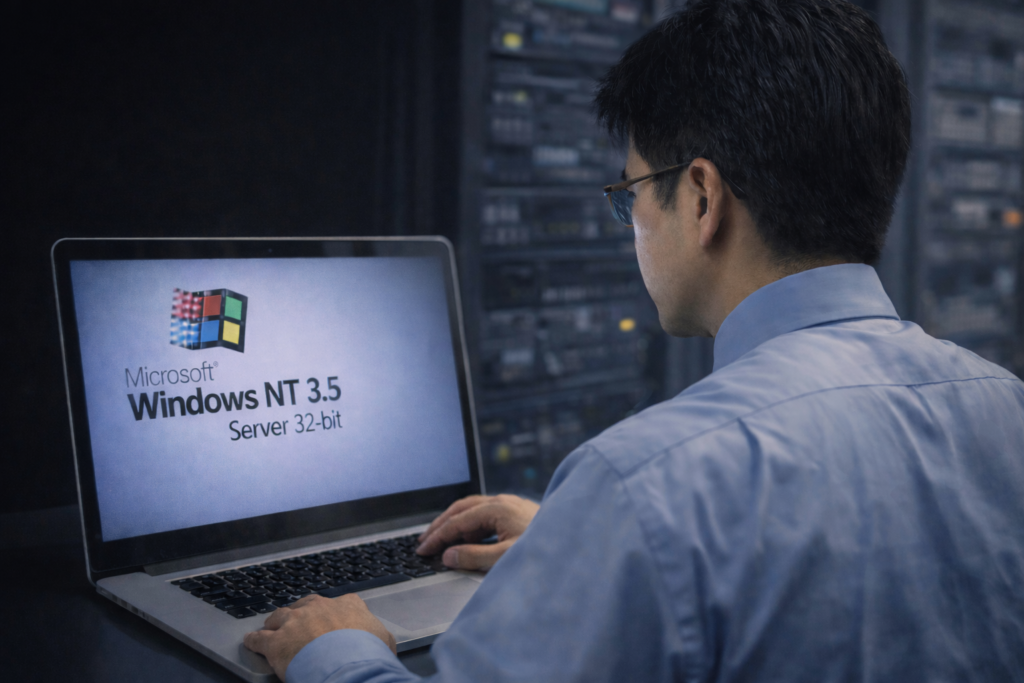
    Early infrastructure days at USC. Back then, the datacenter dress code was simple but strict: long-sleeve shirt and tie, even while working with DEC Alpha servers and Windows NT systems. This was where discipline in both technology and professionalism began.

    This was during the early infrastructure era of enterprise computing. Our environment included:

    • Windows NT 3.5 servers
    • DEC Alpha servers
    • Cisco ASA firewall
    • Cisco switches
    • Exchange Server 5.0
    • Windows desktop deployments

    We were operating in what was called a MAN — Multi-Area Network — connecting multiple locations across the region.

    This was infrastructure work in its pure form.


    School, Work, and Discipline

    My schedule during those years was intense.

    Work: 8 AM to 5 PM
    LACC classes: Monday, Wednesday, Friday, and Tuesday/Thursday evenings
    Devry classes: Saturday and Sunday all day

    There was almost no downtime.

    Because I maintained an average 4.4 GPA, I was eventually allowed to attend only midterms and finals for many IT courses, which opened something unexpected.

    Opportunity.


    Consulting Across the Country

    From 1996 to 1998, I began consulting with Korn Ferry International, traveling across the country to help roll out Windows 95 deployments.

    I was sent to:

    • Manhattan, New York
    • Washington, DC
    • Houston, Texas
    • Menlo Park, California
    • Twin Cities, Minnesota

    This was during a time when software piracy was rampant, and companies urgently needed IT professionals to modernize their systems.

    Demand for infrastructure skills was exploding.


    Career Momentum

    Opportunities started coming quickly.

    Southern California Edison made an offer.
    USC matched the pay.

    But in July 1999, GTE (now Verizon) made an offer that was too strong to refuse.

    By December 1999, I was working as a Network Engineer, responsible for infrastructure from Woodland Hills to Camarillo, California.

    That role didn’t last long — not because of failure, but because another opportunity appeared.

    An aerospace company in Carson, California offered me a six-figure salary to manage:

    • Exchange Server 5.5
    • multi-state infrastructure
    • enterprise messaging systems

    Their locations included:

    • Carson, CA
    • Lakewood, CA
    • Tucson, AZ
    • Peekskill, NY
    • Bothell, WA

    I was constantly traveling.

    Week 1 — California
    Week 2 — Arizona
    Week 3 — New York
    Week 4 — Washington

    I was living in the friendly sky.


    The Cost of Success

    During this time, my fourth child was born.

    And that’s when I realized something difficult.

    My career was growing fast — but I was missing time with my family.

    By 2001, I made a decision.

    I stepped away from that life and started my own IT business.

    Not because I didn’t love technology — but because I needed balance.


    What Infrastructure Really Means

    When people ask what the Infrastructure path in IT looks like, this period of my life is the answer.

    It means:

    • supporting systems that must never fail
    • traveling when things break
    • building networks that connect organizations
    • managing communication systems people depend on
    • being on call when nobody else can solve the problem

    Infrastructure is not glamorous — but it is essential.

    And it builds resilience.


    Looking Ahead

    In Part 3, I’ll share what happened after leaving corporate IT in 2001 — when I started my own IT business and discovered a different side of technology and service.

    © 2012–2026 Jet Mariano. All rights reserved.
    For usage terms, please see the Legal Disclaimer.

  • How I Protected VIP Mailboxes in Exchange: My Experience Creating Shielded, Hidden, and Restricted Email Objects

    Intro

    In every organization — commercial, government, or religious — there are individuals whose roles require an extra layer of protection. These may include executives, legal teams, board members, or other high-visibility leaders. Their mailboxes must be shielded from noise, protected from internal misuse, and hardened against external threats.

    This blog shares how I implemented a VIP Exchange Protection Model in one of the most globally distributed environments I’ve ever worked in.
    All sensitive details are removed — but the principles and methods remain the same.


    Why VIP Mailboxes Need Extra Protection

    VIP users face unique risks:

    1. They are targets for impersonation

    Attackers attempt to spoof high-level leaders to gain authority over employees.

    2. They receive a high volume of inbound email attempts

    Even legitimate internal senders may unintentionally overwhelm their inboxes.

    3. They must focus on mission-critical responsibilities

    Unfiltered communication equals distraction and risk.

    4. Their mailboxes contain sensitive or privileged information

    Unauthorized access can lead to catastrophic consequences.

    The goal of the VIP model is simple:

    Only authorized individuals should be able to see, email, or discover these mailboxes.


    My VIP Protection Model (Redacted & Generalized)

    Below is the exact approach I used, without exposing private organizational information.


    1. Hide VIP Mailboxes From the Global Address List (GAL)

    This prevents the general population from seeing their email addresses.

    Set-Mailbox "VIP Mailbox" -HiddenFromAddressListsEnabled $true
    

    This ensures the mailbox exists — but only administrators know where it is.


    2. Restrict Who Can Email VIPs (Allow Lists Only)

    Instead of blocking all users, I inverted the model:

    Only a hand-selected, approved list of senders can email VIPs.

    I used:

    • Transport Rules
    • Moderation
    • Recipient Restrictions

    Example allow-list logic:

    Set-Mailbox "VIP Mailbox" -AcceptMessagesOnlyFrom @("Assistant1","Assistant2","SecurityOffice")
    

    If anyone outside this list tried to email the VIP:

    • The message was blocked,
    • Logged,
    • And optionally forwarded to a monitored mailbox for review.

    3. Prevent External Email Delivery Entirely

    For VIP mailboxes that should never receive external messages:

    Set-Mailbox "VIP Mailbox" -RequireSenderAuthenticationEnabled $true
    

    This enforces authenticated internal senders only.

    No anonymous sender.
    No spoofed external mail.
    No leakage.


    4. Apply Enhanced Anti-Impersonation

    This included:

    • DMARC alignment enforcement
    • Anti-spoofing engines (such as ATP / Defender)
    • Display name protection (“VIP Name Protection”)
    • Proofpoint Impostor Protection (in environments where I managed Proofpoint)

    I ensured VIP names could not be spoofed internally or externally.


    5. Enable Strict Audit Logging

    For VIP mailboxes:

    • Every access
    • Every folder action
    • Every send
    • Every delegate assignment

    …was logged and reviewed.

    Set-Mailbox "VIP Mailbox" -AuditEnabled $true
    

    This protected the VIP and the organization.


    6. Controlled Delegation

    VIP mailboxes should not have multiple delegates or dynamic permission assignments.

    Only essential individuals were allowed:

    • Executive assistants
    • Chiefs of staff
    • Security-approved personnel

    Least privilege.
    Zero trust.
    No exceptions.


    7. Role-Based Access Control (RBAC) For Admins

    Even administrators require controlled boundaries.

    I created RBAC roles to ensure:

    • Only specific admins could view or manage VIP mailboxes
    • No accidental changes
    • No unauthorized mailbox access

    This is premium-level Exchange governance.


    The Result

    By combining:

    • Hidden GAL entries
    • Sender allow-lists
    • External blocking
    • Anti-impersonation intelligence
    • Transport rules
    • Controlled delegation
    • RBAC
    • Audit trails

    …I built a VIP Exchange Protection Framework that:

    • Reduced risk
    • Eliminated unwanted emails
    • Protected sensitive correspondence
    • Honored the mission of the organization
    • Allowed leaders to focus on their responsibilities
    • Created a safer communication ecosystem

    This experience became one of the defining technical and spiritual stewardship assignments of my career.


    Final Reflection

    Protecting VIP mailboxes goes beyond technology — it’s stewardship, trust, and responsibility.

    When you guard a mailbox, you are guarding:

    • time,
    • focus,
    • privacy,
    • and the ability of leaders to do their work without distraction.

    Implementing this model taught me:

    Security is an act of service — not just configuration.

    © 2012–2025 Jet Mariano. All rights reserved.
    For usage terms, please see the Legal Disclaimer.

error: Content is protected !!