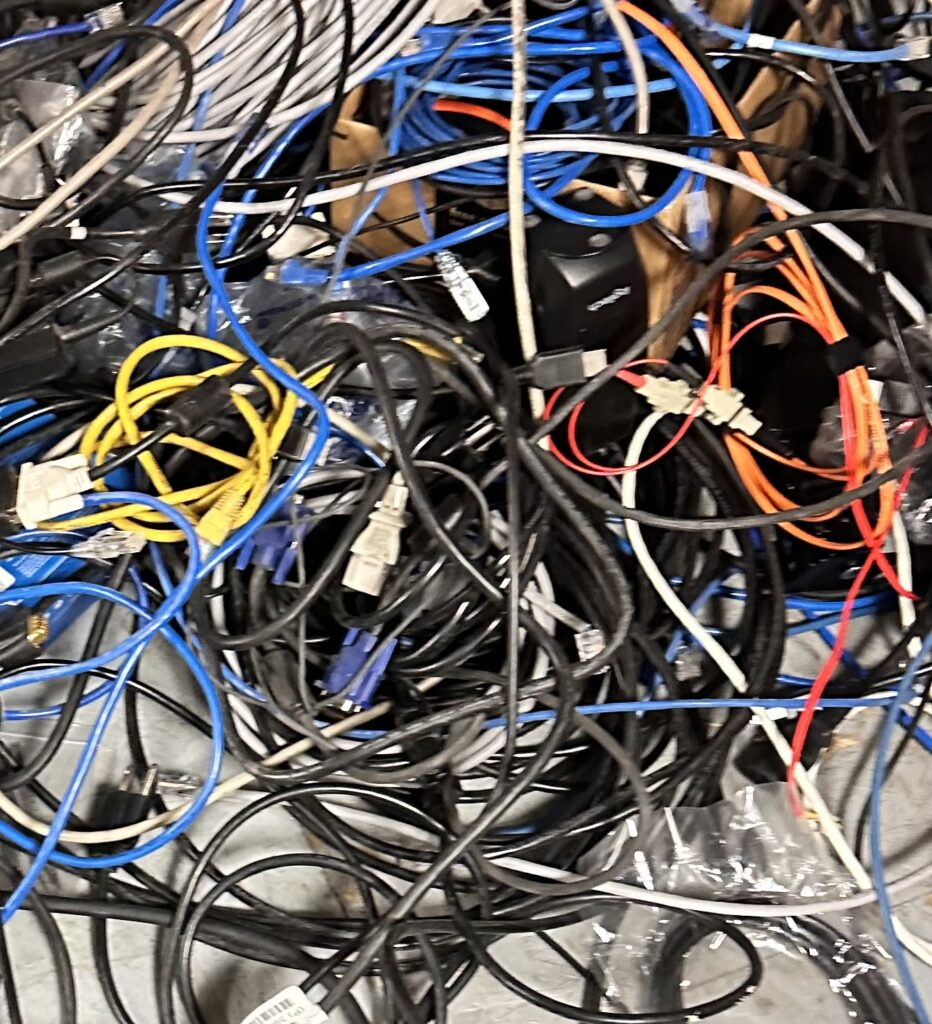
Organizing legacy cables while holding a squat—order through motion, clarity under pressure.
Excerpt
I don’t stay ready because I fear failure. I stay ready because experience taught me that motion reveals what stillness hides.
Intro
I am not a static person. I never have been. Sitting still has never helped me think clearly—especially in infrastructure work, where systems fail without warning and clarity often arrives too late. Movement keeps me alert, adaptive, and aware.
Notes from the Moment
While organizing a tangled pile of legacy cables, I wasn’t standing still. I was holding a squat—time under tension—sorting chaos into order. At the same time, my feet were subtly moving: slips, pivots, pendulum steps. The same habits I use at my standing workstation. The same habits I use in boxing.
This is how I work. Motion keeps my mind open.
Perspective
“Keep moving your feet.” — Elder David A. Bednar “If something can go wrong, it will.” — Murphy’s Law “Be water, my friend.” — Bruce Lee
Practice
I don’t wait for problems to announce themselves. I anticipate them.
Murphy’s Law isn’t pessimism—it’s preparation. If something can fail, it eventually will. That reality shaped how I think and move, starting in the mid-90s during the dot-com era, when uptime was survival and mistakes were unforgiving.
In boxing, moving your feet doesn’t give you x-ray vision like Superman. It gives you new angles. You see openings sooner. You avoid danger without panic. You’re no longer where the punch was.
In IT, it’s the same. I don’t “see afar off” because I’m gifted with foresight. I see because I move—physically and mentally. I change angles. I scan. I test assumptions. I stay proactive instead of reactive.
Health follows the same law. Circulation improves when the body moves. Stagnation invites breakdown. Motion sustains clarity, resilience, and longevity.
Final Reflection
Infrastructure professionals don’t get the luxury of being static. Thinking under pressure requires circulation—of blood, of ideas, of perspective. Standing still narrows vision. Motion expands it.
Water that moves stays clear. Water that stagnates decays.
Whether in boxing, IT, or life itself, the advantage isn’t supernatural vision. It’s movement.
Pocket I’m Keeping
Stay proactive. Stay moving. New angles reveal what stillness hides.
What I Hear Now
“You saw that coming.” “Good catch.” “How did you anticipate that?”
One of my favorite seasons of my life. Serving the city, keeping critical systems alive, and learning the foundations that shaped who I am as an engineer today. Every console screen taught me something new and every problem strengthened my desire to help others through technology.
My Essential IT Troubleshooting Guide
In every company I have worked for, the tools that saved the day were not fancy dashboards but simple commands and fundamentals I could trust. This is my personal troubleshooting arsenal, written so even a non technical reader can follow the logic behind what I do.
Each section answers three things • What it is • Why it matters • How I use it in real life
Name Resolution Basics
A record
What • A record is a phone book entry that says “this name belongs to this IP address.”
Why • Users remember names better than numbers. If the A record is wrong or missing, they land in the wrong place or nowhere.
How I use it • When a site is not loading, I ping the name and check if the IP address matches what we expect. • If it does not, I fix the A record in DNS and wait for it to replicate.
CNAME
What • A CNAME is a nickname that points one name to another name.
Why • It lets you move services without breaking users. The public name stays the same while the target changes behind the scenes.
How I use it • For services like autodiscover or app portals, I often see CNAMEs that point to Microsoft or another provider. • When something breaks after a cutover, CNAMEs are one of the first things I verify.
DNS
What • DNS is the global phone book that turns names into IP addresses.
Why • If DNS fails, everything feels broken. Browsers, Outlook, file shares, all of them depend on DNS.
How I use it • I run nslookup name.company.com to see which DNS server is answering and what IP it returns. • If users in one site can reach something and other users cannot, I compare DNS answers between locations.
Hosts file
What • The hosts file is a tiny local phone book on the computer.
Why • It overrides DNS for that machine. One bad line can send traffic to the wrong place.
How I use it • Location on Windows
C:\Windows\System32\drivers\etc\hosts
• I open it with Notepad as administrator. • If someone hard coded a testing IP and forgot about it, I comment it out or remove it, then flush DNS.
Flush cache
ipconfig /flushdns
Nbtstat and TCP IP
What • Nbtstat is an older tool for NetBIOS name resolution. • Hard coded TCP IP means a manual IP instead of DHCP.
Why • Nbtstat helps when legacy name lookups act strange. • Hard coded IPs can cause conflicts or make VLAN changes painful.
How I use it • nbtstat -n to see local NetBIOS names. • nbtstat -c to see the name cache. • When I find static IPs on client machines, I document them and move them to DHCP reservations so the network is easier to manage.
Network control panel shortcut
I still use this every week
From Run
ncp.cpl
It opens the Network Connections window so I can quickly check adapters, enable or disable, or look at IPv4 settings.
DHCP Essentials
What • DHCP hands out IP addresses, gateways and DNS to clients.
Why • If DHCP fails, users cannot get on the network or suddenly have duplicate addresses.
Best practices • Use at least two DHCP servers where possible. • Define scopes with correct gateway and DNS. • Use reservations for printers and key servers.
Commands I use on clients
ipconfig /release ipconfig /renew
If a user can reach the internet but not internal resources, I check that DNS from DHCP is internal and not a public resolver.
MX, Autodiscover and Mail Flow
MX record
What • MX tells the world which server receives mail for your domain.
Why • If MX points to the wrong place or has a low priority backup you forgot, email can vanish or queue.
How I use it • I use MXToolbox to check MX records and verify that they point to Exchange Online or the correct email gateway.
Autodiscover
What • Autodiscover tells Outlook where to find the mailbox and settings.
Why • A broken autodiscover record means constant password prompts or profile creation failures.
How I use it • I verify the Autodiscover CNAME or SRV record. • I test with Outlook connectivity tools or Test-OutlookConnectivity when available.
Hunting spam engines and bad SMTP
Where malware hides • In browser extensions • In Outlook add ins • In unknown services or scheduled tasks that send mail through SMTP
How I clean it without reimaging • Check Outlook add ins and disable anything suspicious. • Run msconfig and Task Manager to review startup items and tasks. • Review SMTP logs on the server to see which host is sending unexpected traffic.
Certificates and SSL in Hybrid Environments
Internal web apps depend on trusted certificates so browsers know the site is safe. When an SSL expires, internal apps stop working and Chrome or Edge will show warnings.
Why we create new SSLs • Internal web apps must be trusted. • Intranet portals and legacy apps often stop working when an internal CA certificate expires. • External issued certs from DigiCert or GoDaddy are trusted by browsers.
Where I keep it • C:\Certs or another controlled folder • Never leave certificates scattered in Downloads
Core servers • I open Task Manager with Ctrl Shift Esc • File, Run, then mmc • Add the Certificates snap in and import there Or I import directly with PowerShell.
Machine Trust Relationship Problems
When Windows says “the trust relationship between this workstation and the primary domain failed,” the computer account and the domain no longer agree.
On a traditional domain • Disable LAN and WiFi • Log in using cached credentials • Reset the local admin password if needed • Disjoin from the domain and put it in a workgroup • Reboot • Join it back to the domain
For Azure AD joined devices
Check status
dsregcmd /status
If broken
dsregcmd /leave
Then re join from Settings under Access work or school.
RDP Session Cleanup
Sometimes users cannot remote into their office desktop because a stale session is still connected.
After that, they can reconnect without rebooting the server.
Active Directory Tools
ADSIEdit
What • A low level editor for Active Directory objects.
Why • Last resort for fixing broken attributes or lingering records when normal tools cannot reach them.
How I use it • Only with full backups and a clear change plan. • I use it to clean up orphaned objects or legacy settings left behind.
Event Viewer
What • The black box recorder of Windows.
Why • Every blue screen, login failure, replication problem and service crash leaves a trace here.
How I use it • eventvwr.msc • I focus on System and Directory Service logs on domain controllers, and Application logs on servers hosting apps.
FSMO Roles
What • Flexible Single Master Operations are special AD roles for schema, naming, PDC, RID and infrastructure.
Why • These make sure there is one source of truth for sensitive changes.
Best practice • Know exactly which DC holds each role. • Protect those DCs like crown jewels.
If a FSMO owner is gone forever • You can seize the role to a healthy DC using ntdsutil. • After seizing you never bring the old DC back online.
This is rare but every senior engineer should know the process in theory.
AD and Entra ID Health
On premise AD health
dcdiag repadmin /replsummary repadmin /showrepl
I always confirm • DNS is correct • SYSVOL is in sync • Time is correct and within a few minutes across all DCs
Entra ID health
Connect-MgGraph Get-MgUser Get-MgDirectoryAudit
I check • Sign in logs for failures • Conditional Access for blocked locations • Device compliance for machines that suddenly appear non compliant
AD controls computers and users on site. Entra controls cloud identity and device trust. In a hybrid world, both must be healthy.
Azure and Terraform
Azure CLI read only commands
az login az account show az group list az vm list az storage account list
These tell me what exists without changing anything.
Terraform for infrastructure as code • Initialize the directory terraform init • Format terraform fmt • Validate terraform validate • Plan terraform plan
Nothing changes until terraform apply is run. For interviews, being comfortable with init, plan and validate already shows good understanding.
Microsoft 365 Services
Group Policy
Purpose • Central control of security and settings for on premise joined machines.
How I create it gpmc.msc • New GPO • Edit with the settings I want • Link to the correct OU
Universal Print
What • Cloud based printing that removes the need for classic print servers.
Why • Easier management for hybrid and remote users.
I register printers in Universal Print and assign permissions based on groups, so users can get printers automatically.
SharePoint Online
Steps I follow • Go to Microsoft 365 admin center • Open SharePoint admin • Create a new site • Assign owners and members • Set sharing and retention policies
This becomes the central place for team documents and intranet content.
OneDrive and Data Migration
OneDrive • Sync client installed on machines • Known Folder Move for Desktop, Documents and Pictures • Version history to protect from mistakes and ransomware
Migrating data • I prefer SharePoint Migration Tool or Mover. • I clean old data first so I do not carry garbage into the cloud. • I communicate to users what will move and what will not.
Why This Arsenal Matters
These are the tools I have relied on in city government, banks, energy drinks, and manufacturing. They are not fancy, but they work.
Every time I help a user reconnect, restore a service, or clean up a broken configuration, I am really doing three things
• Protecting the company and its data • Supporting my teammates so they are not alone in the fire • Honoring the gift God gave me to understand and fix complex systems
This arsenal is how I serve. Whether I am helping a small office or a multi site enterprise, the pattern is the same ask good questions, run the right checks, fix the root cause, and leave clear notes so the next engineer can see the path.