Tag: IT Operations

  • Temporary Global Reader Account for Microsoft 365 Tenant Review

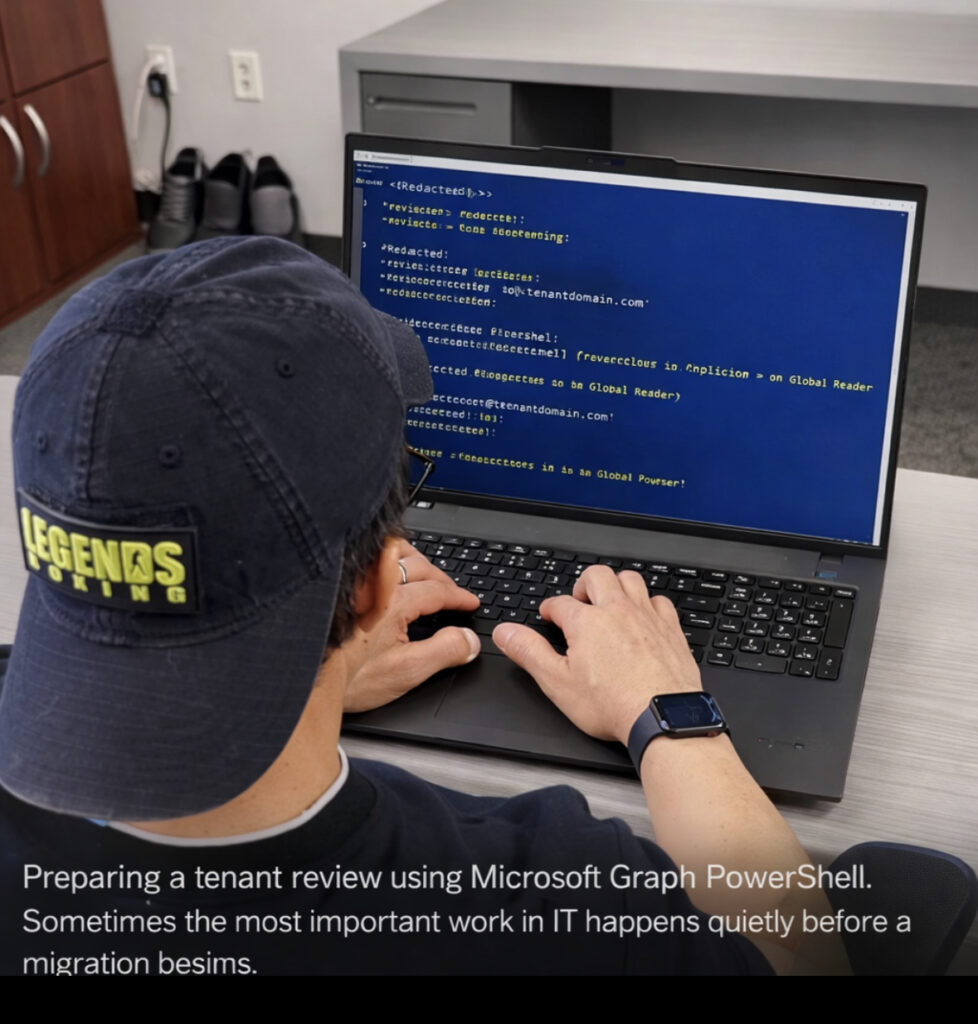
    During Microsoft 365 tenant reviews or migration preparation, it is common to create a temporary read-only account so engineers can safely inspect the environment.

    Instead of granting administrative permissions, the recommended approach is to assign the Global Reader role. This role provides visibility into configuration, policies, and identity structure while preventing any changes to production resources.

    This method is frequently used during tenant consolidation, acquisitions, or domain transitions where a review of the existing environment is required before cutover.

    The following PowerShell example demonstrates how to create a temporary user and assign the Global Reader role using Microsoft Graph PowerShell.


    1. Create the Entra Account

    Creates a temporary user account for tenant inspection.

    $PasswordProfile = @{
        Password = "<ExamplePassword>"
        ForceChangePasswordNextSignIn = $false
    }
    
    New-MgUser `
    -DisplayName "Tenant Review Account" `
    -UserPrincipalName "[email protected]" `
    -MailNickname "reviewaccount" `
    -AccountEnabled:$true `
    -PasswordProfile $PasswordProfile

    2. Retrieve the Global Reader Role

    Checks whether the Global Reader role is already active in the tenant.

    $role = Get-MgDirectoryRole | Where-Object {$_.DisplayName -eq "Global Reader"}

    3. Activate the Role if Needed

    Some roles are not active until they are first used.

    $template = Get-MgDirectoryRoleTemplate |
    Where-Object {$_.DisplayName -eq "Global Reader"}
    
    New-MgDirectoryRole -RoleTemplateId $template.Id
    
    $role = Get-MgDirectoryRole |
    Where-Object {$_.DisplayName -eq "Global Reader"}

    5. Verify the Role Assignment

    Get-MgDirectoryRoleMember -DirectoryRoleId $role.Id

    Why This Approach Is Used

    Providing a temporary Global Reader account allows migration engineers to review the tenant safely. The role grants visibility into identity, security policies, and configuration without allowing any changes.

    This approach reduces risk while ensuring the incoming team can properly analyze the environment before migration activities begin.


    © 2012–2026 Jet Mariano. All rights reserved.
    For usage terms, please see the Legal Disclaimer.
  • How to Export and Audit Active Directory GPOs Using Native PowerShell (Step-by-Step)

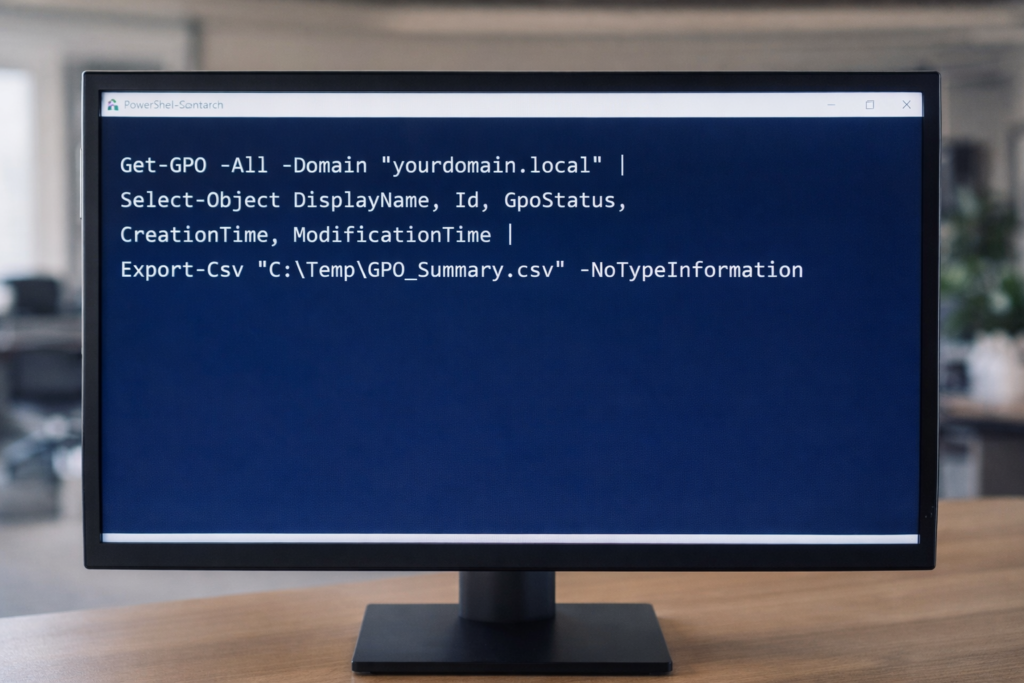
    PowerShell export of Active Directory Group Policy Objects using native Get-GPO and Export-Csv commands to establish a baseline inventory before infrastructure changes.

    Maintaining visibility into Group Policy Objects (GPOs) is critical before domain consolidation, tenant migration, or infrastructure modernization.

    Below are seven native PowerShell commands used to generate a full GPO inventory, validate configurations, and export audit-ready reports.

    All commands use built-in GroupPolicy modules — no third-party tools required.


    1. Export GPO Summary Inventory

    Exports high-level metadata for all GPOs in the domain.

    Get-GPO -All -Domain "yourdomain.local" |
    Select-Object DisplayName, Id, GpoStatus, CreationTime, ModificationTime |
    Export-Csv "C:\Temp\GPO_Summary.csv" -NoTypeInformation


    This provides:
    • GPO Name
    • GUID
    • Status (Enabled/Disabled)
    • Creation Date
    • Last Modified Date


    2. Generate Full XML Reports for All GPOs

    Creates detailed configuration exports for forensic or migration analysis.

    New-Item -ItemType Directory -Path "C:\Temp\GPOReports" -Force
    
    Get-GPO -All -Domain "yourdomain.local" |
    ForEach-Object {
        Get-GPOReport -Guid $_.Id -ReportType XML -Path "C:\Temp\GPOReports\$($_.DisplayName).xml"
    }


    XML reports include:
    • Security settings
    • Registry policies
    • Administrative templates
    • Computer/User configuration details


    3. Generate Executive-Readable HTML Report

    Get-GPOReport -All -Domain "yourdomain.local" -ReportType HTML -Path "C:\Temp\All_GPOs_Report.html"


    Useful for:
    • Leadership review
    • Change control documentation
    • Audit preparation


    4. Identify Fully Disabled GPOs

    Get-GPO -All -Domain "yourdomain.local" |
    Where-Object {$_.GpoStatus -eq "AllSettingsDisabled"} |
    Select DisplayName, Id, GpoStatus |
    Export-Csv "C:\Temp\Disabled_GPOs.csv" -NoTypeInformation


    Helps identify cleanup opportunities before migration.


    5. Validate a Specific GPO (Live Proof Command)

    Get-GPO -Name "Default Domain Policy" -Domain "yourdomain.local"


    Useful for:
    • Live validation
    • Troubleshooting
    • Demonstrating configuration integrity


    6. Export WMI Filters

    Get-GPWmiFilter -Domain "yourdomain.local" |
    Select Name, Description |
    Export-Csv "C:\Temp\WMI_Filters.csv" -NoTypeInformation


    Important when:
    • GPOs are scoped using OS filters
    • Planning domain consolidation


    7. Create a Baseline Snapshot Before Major Change

    Get-GPO -All -Domain "yourdomain.local" |
    ForEach-Object {
        Get-GPOReport -Guid $_.Id -ReportType HTML -Path "C:\Temp\Baseline\$($_.DisplayName).html"
    }


    This creates a point-in-time snapshot for rollback or comparison.


    Why This Matters

    Before:

    • Domain merge
    • Tenant consolidation
    • Intune migration
    • Security hardening
    • Infrastructure cleanup

    You need visibility.

    PowerShell provides:
    • Repeatability
    • Transparency
    • Audit defensibility
    • No dependency on external tooling

    © 2012–2026 Jet Mariano. All rights reserved.
    For usage terms, please see the Legal Disclaimer.
  • Windows 11 Is Not the Problem

    Most Windows 11 instability doesn’t live in the OS itself, but at the edges where hardware, drivers, and applications meet.

    Understanding Failure at the Boundaries


    Why this post exists

    When something breaks after a Windows 11 update, the operating system is usually the first thing blamed.

    That reaction is understandable.
    It is also often wrong.

    Most Windows 11 issues I’ve seen in production environments were not caused by Windows itself, but by interactions at the boundaries — drivers, firmware, graphics acceleration, and modern hardware pipelines colliding under load.

    This post is about recognizing that pattern before making changes you can’t easily undo.


    Windows 11 changed the execution model

    Windows 11 didn’t just refresh the UI.
    It tightened and modernized how the system interacts with hardware.

    Notable shifts include:

    • heavier GPU offloading
    • deeper integration with modern drivers
    • stricter timing and power management
    • increased reliance on hardware acceleration

    These changes improved performance and security — but they also exposed weaknesses that were previously hidden.


    Where failures actually occur

    Most Windows 11 instability I’ve seen does not originate in the OS core.

    It shows up at the edges:

    • camera pipelines invoking GPU acceleration
    • browsers rendering complex content
    • collaboration tools engaging media stacks
    • document editors interacting with graphics layers

    When these systems overlap, failure is rarely clean.

    The result can look dramatic:

    • sudden reboots
    • frozen screens
    • applications triggering system instability

    But the OS is often just the messenger.


    Why blaming the OS is tempting

    Blaming Windows feels productive because it is visible and recent.

    But doing so can lead to:

    • unnecessary registry changes
    • disabling core protections
    • rolling back updates prematurely
    • introducing instability elsewhere

    Experienced engineers pause here.

    They ask a different question:
    “What interaction just occurred?”


    A real-world pattern

    In several recent incidents, systems rebooted only when:

    • the camera was enabled
    • a browser rendered media-heavy pages
    • a document triggered graphics rendering

    The same machines were otherwise stable.

    That pattern points away from Windows itself and toward:

    • GPU drivers
    • hardware acceleration paths
    • firmware timing
    • vendor-specific optimizations

    The fix is rarely global.
    It is almost always surgical.


    Why restraint matters

    Windows 11 gives us many levers:

    • registry overrides
    • advanced graphics settings
    • feature toggles

    Just because a lever exists does not mean it should be pulled.

    Sometimes the most correct decision is:

    • identify the root cause
    • mitigate user impact
    • document the behavior
    • wait for vendor correction

    Stability is not always achieved by action.
    Sometimes it is preserved by restraint.


    What Windows 11 is actually doing well

    Despite the noise, Windows 11 has proven to be:

    • more secure by default
    • more consistent under load
    • better integrated with modern hardware
    • less tolerant of outdated assumptions

    Those are strengths, not weaknesses.

    They require us to think more holistically about the stack.


    The lesson Windows 11 keeps teaching

    Modern systems fail at the seams.

    Operating systems, drivers, firmware, and applications now behave as a single organism.

    When one part misbehaves, symptoms surface elsewhere.

    The job is not to assign blame quickly.
    The job is to understand interaction.


    Final reflection

    Windows 11 didn’t break our environments.

    It revealed where we were already fragile.

    Once you see that pattern, troubleshooting becomes calmer, more precise, and far less reactive.

    © 2012–2026 Jet Mariano. All rights reserved.
    For usage terms, please see the Legal Disclaimer.
  • Marked in Time — Sep 24, 2025 Email Offboarding: Forward for 14 Days → Then Retire the Mailbox (No Shared Mailboxes)

    Clean handoff: 14-day forward then retired the mailbox. using powershell

    Excerpt

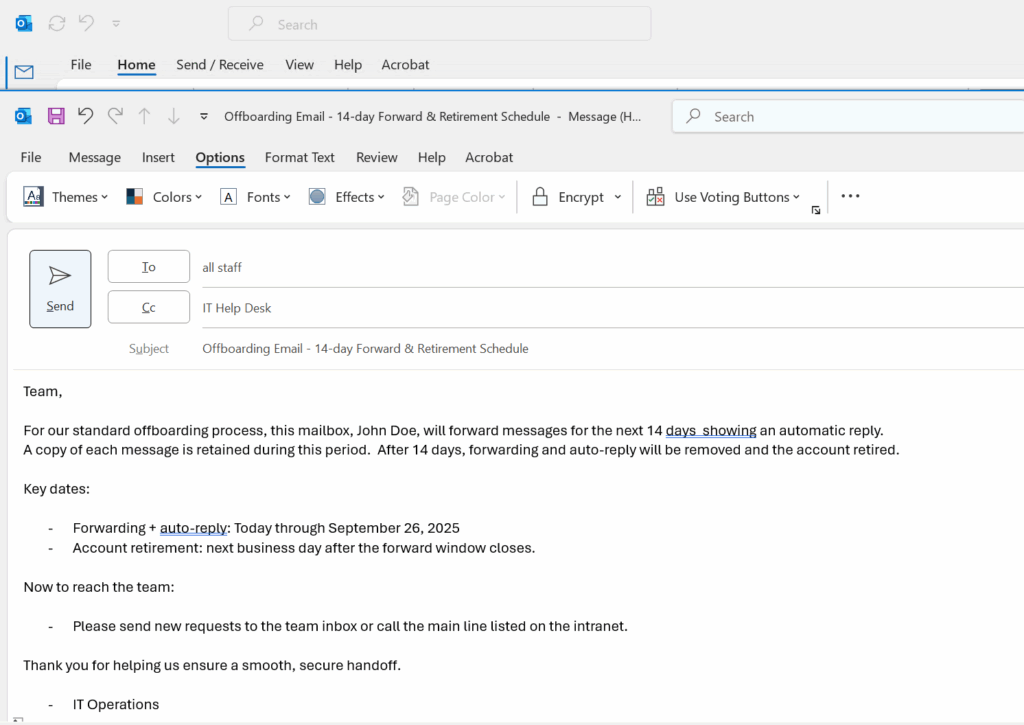
    A simple, low-risk offboarding pattern: enable a 14-day forward to the supervisor with an auto-reply, keep copies in the mailbox, then remove forwarding and retire the account. No shared mailboxes, no drama.

    Photo suggestion

    Something neutral and professional: a close-up of a keyboard lock icon, or a soft sunset over a temple (if you want to keep the page’s visual theme).
    Caption idea: “Quiet handoffs, clean closures.”


    Context (redacted)

    Policy: No shared mailbox conversions. For leavers, enable a 2-week mail forward to the supervisor, show a clear auto-reply, then delete the user so the mailbox soft-deletes and later hard-deletes. Team files live in SharePoint/Teams; local working data is archived to encrypted USB for short-term retention.


    Before (T0) — Enable 14-Day Forward + Auto-Reply

    Goal: Forward new messages for two weeks and keep a copy in the mailbox for audit/review; clearly inform senders.

    Replace with your addresses before running:
    $User = "[email protected]"
    $Supervisor = "[email protected]"

    # Admin sign-in
    Import-Module ExchangeOnlineManagement -ErrorAction SilentlyContinue
    Connect-ExchangeOnline
    
    # Vars
    $User       = "[email protected]"
    $Supervisor = "[email protected]"
    $Days       = 14
    $Now        = Get-Date
    $End        = $Now.AddDays($Days)
    
    # Enable mailbox-level forwarding (keep a copy)
    Set-Mailbox -Identity $User `
      -ForwardingSmtpAddress $Supervisor `
      -DeliverToMailboxAndForward $true
    
    # Schedule auto-replies for the same window
    $InternalMsg = @"
    This mailbox is no longer monitored.
    For assistance, please contact $Supervisor or call the main line.
    "@
    
    $ExternalMsg = @"
    Thanks for your message. This mailbox is no longer monitored.
    Please email $Supervisor for assistance.
    "@
    
    Set-MailboxAutoReplyConfiguration -Identity $User `
      -AutoReplyState Scheduled `
      -StartTime $Now `
      -EndTime $End `
      -InternalMessage $InternalMsg `
      -ExternalMessage $ExternalMsg `
      -ExternalAudience All
    

    Parallel housekeeping (same day):

    • Reset the user’s password, revoke sign-in sessions, and (optionally) block sign-in during the transition.
    • Transfer/confirm ownership of OneDrive/SharePoint/Teams files needed by the team.
    • Archive any local workstation data to an encrypted USB (BitLocker To Go) if policy allows.

    After (T+14) — Remove Forwarding → Retire Account

    Goal: Stop forwarding, disable auto-reply, and delete the user (soft-delete mailbox). Optionally hard-delete the mailbox once soft-delete is visible.

    Import-Module ExchangeOnlineManagement -ErrorAction SilentlyContinue
    Connect-ExchangeOnline
    
    $User = "[email protected]"
    
    # Remove mailbox-level forwarding & auto-reply
    Set-Mailbox -Identity $User -ForwardingSmtpAddress $null -DeliverToMailboxAndForward $false
    Set-MailboxAutoReplyConfiguration -Identity $User -AutoReplyState Disabled
    
    # Delete the user in Entra ID (do this in the portal or via Graph)
    # Entra admin center → Users → select user → Delete
    # After directory sync, the mailbox will be in "soft-deleted" state (up to 30 days)
    
    # Optional: Permanently delete the mailbox once soft-deleted
    $Soft = Get-Mailbox -SoftDeletedMailbox -ErrorAction SilentlyContinue |
            Where-Object {$_.PrimarySmtpAddress -eq $User}
    if ($Soft) {
      Remove-Mailbox -PermanentlyDelete -Identity $Soft.ExchangeGuid -Confirm:$false
    }
    

    Lessons Learned

    • Clarity beats complexity. Forward + auto-reply for a defined window avoids confusing senders and helps the team capture anything urgent.
    • Keep a copy while forwarding. It preserves context during the transition.
    • No shared mailbox needed. If policy prohibits it, you can still do a clean, auditable handoff.
    • Document the timestamps. Password reset, token revocation, forward on/off, user deletion, and any permanent mailbox purge.

    Pocket I’m Keeping

    • Short window, clear message, clean cutover.
    • Files belong in SharePoint/Teams; email is a temporary bridge.
    • Quiet, consistent process reduces friction and drama.

    © 2012–2025 Jet Mariano. All rights reserved.
    For usage terms, please see the Legal Disclaimer.

error: Content is protected !!