In the world of Infrastructure Engineering, we often say that “Complexity is the enemy of reliability.” Whether we are managing an M365 environment or a distributed network of remote nodes, the goal is always the same: High Availability (HA).
As a Senior Engineer, I view system resilience through three specific forensic lenses. Here is how we ensure “Uptime” when the environment becomes unpredictable.
1. The Heartbeat Protocol: Real-Time Telemetry
In a distributed system, you cannot manage what you cannot see. Implementing a “Heartbeat” or real-time location sharing for remote assets is the difference between proactive recovery and forensic failure analysis.
A consistent heartbeat ensures that the central controller knows exactly where the data (or the asset) is at all times. If a node goes silent—especially during a critical window like a 3:00 AM deployment—the system shouldn’t have to wait for a user to report a “down” status; the heartbeat failure should trigger the “Rescue Protocol” automatically.
2. Edge Hardening: Preparing for Environmental Extremes
We often focus on the software, but the physical “Base Layer” is where many systems fail. In engineering, we call this Environmental Hardening. Just as we provide thermal protection for outdoor hardware to prevent “cold-start” failures, we must ensure our digital assets have the proper “insulation.” In an enterprise context, this means:
Redundant Power: Ensuring “thermodynamic” stability for remote nodes.
Physical Security: Using high-fidelity interfaces to maintain signal integrity in noisy environments.
3. Resource Pooling: Eliminating Single Points of Failure
The most resilient systems utilize Resource Pooling. By creating a “Joint Account” of resources (storage, compute, or capital), we ensure that the system has immediate access to what it needs, even if one “administrator” is offline.
Moving from a single-owner architecture to a shared-resource model reduces latency and ensures that the mission (the application) continues to run without interruption. It is the ultimate safeguard against the “Government Thieves” of data—bottlenecks and probate-like locks.
Forensic Conclusion: True engineering isn’t about building a system that never fails; it’s about building a system that is sensible enough to recover when it does. As the late Bruce Lee said, “The stiffest tree is most easily cracked, while the bamboo or willow survives by bending with the wind.”
Whether it’s PowerShell, VMware, or supporting the team, I give my best because people depend on what happens behind this screen.
Introduction
Email is still the heart of business communication, and it’s also the easiest door for attackers to exploit. This is my real-world approach to securing Exchange Online: how I protect messages, enforce policies, retain critical data, and keep unwanted activity out of the environment. These are the tools I use every day — quiet, behind-the-scenes work that keeps an entire organization safe.
Messaging Policies and Mail Protection
What
Mail flow rules control how messages enter, exit, and move inside the company. They prevent risky behavior, secure sensitive data, and keep communication structured.
Why
Without strict policies, users can accidentally leak information, forward confidential data, or bypass compliance rules.
How
Mail Flow Rules I Maintain
• Prevent auto-forwarding outside the company • Block forwarding to personal Gmail/Yahoo • Restrict sensitive keywords (finance, HR, payroll) • Add disclaimers for external recipients • Enforce rules for shared mailboxes
This is my Exchange Online security toolkit — the messaging controls, retention systems, compliance protections, and routing safeguards I use every day. These tools protect users, leadership, legal teams, and the entire organization from silent risks that hide inside email traffic.
Real security isn’t loud. It’s consistent, careful, and invisible — until the moment it saves the business.
DMARC (Domain-based Message Authentication, Reporting & Conformance) is the control system that tells receiving email servers what to do when a message fails SPF or DKIM. Without DMARC, attackers can spoof your domain freely.
Section 1 — What DMARC Does
DMARC:
Protects your domain from spoofing
Defines how mail servers should handle failures
Provides visibility into fraud attempts
Supports brand protection
Enables full enforcement (“p=reject”)
Section 2 — DMARC Tags and Their Meaning
1️⃣ v=DMARC1
Protocol version. Always DMARC1.
2️⃣ p= (Policy)
Tells receiving servers what to do:
p=none → Monitor only
p=quarantine → Send failures to spam
p=reject → Block failures entirely (best practice for banks)
3️⃣ rua= (Aggregate Reports)
Where daily XML reports are delivered. Example: rua=mailto:[email protected]
adkim=s and aspf=s enforce strict alignment — critical for banks and regulated industries.
Section 4 — Why DMARC Matters
Blocks domain impersonation
Reduces malware/phishing impact
Protects customers from fraud
Shields executives from spoofing
Enables brand trust
Essential for financial institutions
Conclusion
A strong DMARC policy (“reject”) is one of the strongest defenses against email spoofing — but only when SPF and DKIM are configured properly and regularly monitored.
Microsoft Purview is Microsoft’s compliance, audit, and eDiscovery platform for Microsoft 365. It provides GUI-driven tools for administrators to perform searches, create holds, review data, and respond to legal and compliance requirements.
But here’s the reality that senior M365 engineers know:
Purview is powerful, but it is not complete. It has strict limits, throttles, and boundaries designed for safety and performance — not deep forensic analysis.
This is why serious investigations always end up in PowerShell, where engineers can bypass GUI limitations, perform deeper searches, and collect evidence with precision.
Section 1 — What Purview Is (in plain English)
Purview provides:
Content search
eDiscovery (Standard & Premium)
Litigation holds
Audit logs
Labeling and retention
Insider risk scanning
Communication compliance
It is designed for:
Legal teams
Compliance officers
HR investigations
Corporate governance
High-level reporting
And for these purposes, Purview works very well.
Section 2 — The Hidden Limitations of Purview
Here are the real limits engineers face:
1. Sending & Rate Limits
Purview actions follow the same throttling limits as Exchange Online. You cannot pull unlimited messages instantly.
2. eDiscovery Query Limits
Each Purview search query is limited to: 10,000 characters This is a major limitation for complex filters.
3. Maximum Export Sizes
Large exports (multiple gigabytes) often fail or time out. This is why forensic engineers break searches into chunks.
4. Maximum Holds Per Mailbox
A mailbox can only have: 25 holds total More than 25 affects performance, indexing, and mailbox health.
Indexing dependency (if an item isn’t indexed, Purview can’t see it)
7. Purview is not real-time
It depends on indexing engines. Indexing delays = missing results.
8. Purview cannot reveal everything
For true forensics you often need:
Message trace logs
Transport logs
Historical mailbox snapshots
DeletedItems and RecoverableItems subfolders
Soft delete and hard delete content
Hidden folders
Unindexed items
Purview cannot provide all of that.
Section 3 — Why PowerShell is Superior for True Forensics
When Microsoft engineers or financial institutions perform real investigations, they do not rely on Purview alone. They rely on PowerShell because PowerShell can do what Purview cannot.
1. Access Every Folder (Including Hidden Ones)
PowerShell can query:
Inbox
Sent
DeletedItems
RecoverableItems
Purges
Versions
Subfolders not visible in Outlook
Unindexed items
Purview can’t.
2. No GUI query limit
There is no 10,000-character query restriction in PowerShell.
Pattern searches can be huge, detailed, and layered.
3. Deep Header and Message Metadata Extraction
PowerShell can extract:
X-MS-Exchange-Organization-AuthAs
X-MS-Exchange-CrossTenant-*
Original client IP
Authentication results
Message submission type
Connector source
Spam confidence level (SCL)
Envelope sender
Message ID tracking
Purview provides only summarized metadata.
4. Instant, Real-Time Search
PowerShell does not wait for indexing. You can search unindexed items directly.
This is critical in security incidents.
5. Mailbox Timeline Reconstruction
With PowerShell you can reconstruct:
When the message was received
When it was moved
If rules redirected it
If a compromised mailbox forwarded it
If the user deleted it
If it was purged
Purview cannot reconstruct movement history.
6. PowerShell is scripting + automation
You can automate:
Large case collections
Exports
Multi-mailbox searches
Pattern scans
Complex filters
Timeline reconstruction
Purview cannot automate eDiscovery at the same level.
Section 4 — When to Use Purview vs PowerShell
Use Purview for:
Legal holds
HR requests
Basic content searches
Governance
Compliance reporting
Policy enforcement
Use PowerShell for:
Security incidents
Ransomware investigations
BEC (Business Email Compromise)
External spoofing investigations
Compromised mailbox analysis
Hidden folder discovery
Deep metadata extraction
Multi-mailbox timeline reconstruction
Most senior email engineers agree:
Purview is the “legal view.” PowerShell is the “truth view.”
Conclusion
Purview is an essential tool for compliance and legal workflows — but it is not a forensic engine. Its GUI limits, throttles, and reliance on indexing mean that it can never replace the precision, speed, and depth of PowerShell.
This is why real investigations — especially in financial institutions and regulated organizations — always rely on PowerShell for final answers.
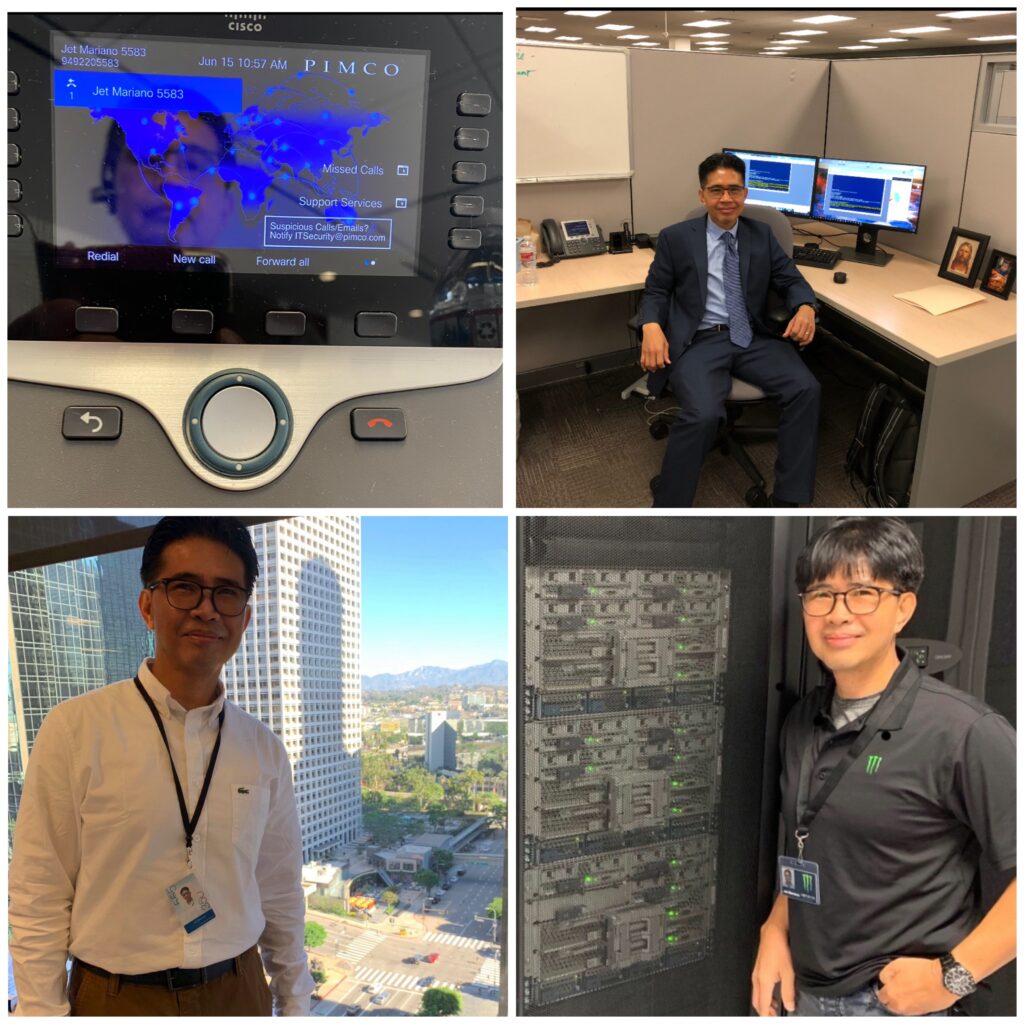
PIMCO (Newport Beach HQ, CA) 🌍 — Global financial services supporting regions in NA, EMEA, APAC. Church (Riverton Office Building, UT) ⛪ — Worldwide infrastructure with 200k employees and over 80k missionaries. Monster Energy (Corona HQ, CA) ⚡ — Global enterprise IT operations across NA, EMEA, APAC. City National Bank (Downtown LA, CA) 🏙️ — U.S. banking systems at scale.
Every IT career tells a story, and mine has moved through three different scales of impact:
Company-Level Foundations → At PayForward, I migrated an entire OnPrem environment into AWS. That meant setting up VPCs, building HA Exchange clusters with load balancers, and proving the power of cloud for a fast-moving startup.
Regional / Global Scale → At Monster Energy and PIMCO, the work stretched across North America, EMEA, and APAC. The systems never slept. VMware clusters and M365 tenants had to function as one, even though users were scattered across time zones and continents.
Worldwide Reach → At the Church, the scale expanded beyond regions. Over 200,000 employees and over 80,000 missionaries, connected by systems that had to reach every corner of the globe, demanded both technical precision and spiritual responsibility.
This journey shows that the “cloud above us” isn’t just AWS, Azure, or GCP — it’s the ability to design, secure, and sustain systems at every possible scale.
A colleague once told me: “Automate, or eliminate.” In IT, that isn’t just a clever saying — it’s survival. At the scale of hundreds or even thousands of VMs, EC2 instances, or mailboxes, doing things manually is not just unrealistic — it’s risky. What automation can finish in under 10 minutes might take days or weeks by hand, and even then would be prone to errors.
That’s why Python, PowerShell, Bash, and automation frameworks became part of my daily toolkit. Not to flaunt, but because without automation, no single engineer could handle the demands of environments as large as PIMCO, Monster Energy, or the Church.
Snippet 1: AWS (My PayForward Days)
import boto3

# Connect to AWS S3
s3 = boto3.client('s3')

# List buckets
buckets = s3.list_buckets()
print("Your AWS buckets:")
for bucket in buckets['Buckets']:
    print(f"  {bucket['Name']}")
From racks of servers to a few lines of Python—that’s the power of AWS.
Snippet 2: PowerShell + Azure (My Church Years, CNB)
One line, and you can see every Azure resource group spread across the world. A task that once required data center visits and clipboards is now just a command away.
Snippet 3: PHP + GCP (Expanding Horizons)
use Google\Cloud\Storage\StorageClient;

$storage = new StorageClient([
    'keyFilePath' => 'my-service-account.json'
]);

$buckets = $storage->buckets();

foreach ($buckets as $bucket) {
    echo $bucket->name() . PHP_EOL;
}
# Connect to vCenter and list VMs across data centers
Connect-VIServer -Server vcenter.global.company.com -User admin -Password pass
Get-VM | Select Name, PowerState, VMHost, Folder

# Quick check of licensed users in M365 (global tenants)
Connect-MgGraph -Scopes "User.Read.All"
Get-MgUser -All -Property DisplayName, UserPrincipalName, UsageLocation |
    Group-Object UsageLocation |
    Select Name, Count
One script, and suddenly you’re seeing footprints of users spread across the globe — NA, EMEA, APAC, or even worldwide. That’s the reality of modern IT infrastructure.
The “cloud above us” is both a literal technology — AWS, Azure, and GCP that I’ve worked across — and a metaphor. It represents resilience, scalability, and unseen support. Just as automation carries workloads we could never handle by hand, life has storms we cannot carry alone.
From startups making their first move to the cloud, to global financial institutions, to worldwide organizations with hundreds of thousands of users, the lesson is the same: we are not meant to fight every battle manually.
We are given tools, teammates, and even unseen strength from above to keep moving forward. The same way a script can manage thousands of servers or accounts without error, trust and preparation help us navigate the storms of life with less fear.
☁️ Above every storm, there’s always a cloud carrying potential. And above that cloud, always light waiting to break through.
Before my cloud journey, I also spent nine years in forensic IT supporting law enforcement — a grounding reminder that technology isn’t only about systems and scale, but about accountability and truth.