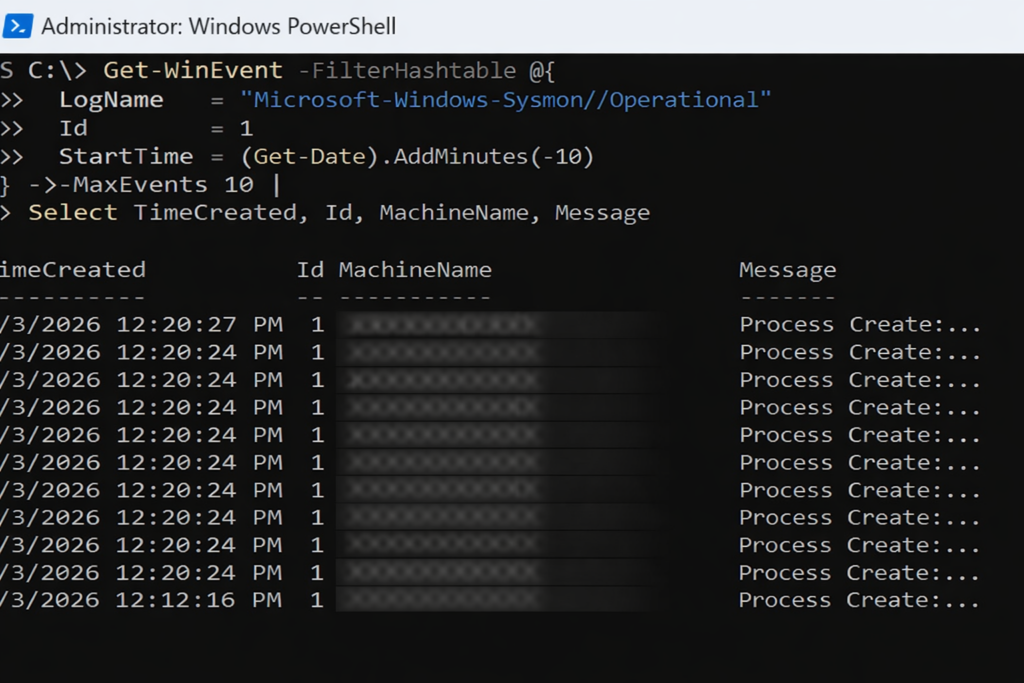
Sysmon Event ID 1 in action. Each entry records a process creation event, showing when a process started and providing the first layer of visibility into how activity begins on an endpoint.
Seeing What Actually Happens
Why this post exists
Sysmon is often misunderstood.
Some expect dashboards. Others expect alerts. A few expect it to magically explain incidents on its own.
Sysmon does none of those things.
What it does extremely well is something more fundamental. It records what actually happened.
Think of Sysmon as a black box flight recorder for a computer.
What Sysmon is
Sysmon (System Monitor) is a Windows system service from Microsoft Sysinternals.
Once installed, it continuously records detailed system activity into the Windows Event Log, including:
Process creation and command lines
Network connections
DLL and driver loading
Process access and injection behavior
Sysmon does not block activity. It does not alert. It observes and records.
What Sysmon is not
Sysmon is not:
A SIEM
A reporting platform
An inventory system
A centralized logging solution
Sysmon logs locally on each endpoint only.
Visibility comes later, when those logs are queried, collected, or forwarded.
Where Sysmon logs live
All Sysmon telemetry is written to the Windows Event Log on each machine.
Log path:
Microsoft-Windows-Sysmon/Operational
These logs can be:
Queried locally with PowerShell
Forwarded using Windows Event Forwarding
Collected by a SIEM
Reviewed during investigations
Why companies deploy Sysmon
Most security incidents are investigated after the fact.
Without Sysmon, questions like these are difficult to answer:
How did this process start?
What command launched it?
What network connection did it make?
Was this behavior normal for this system?
Sysmon provides the raw telemetry needed to answer those questions with evidence, not assumptions.
Where Sysmon comes from
Sysmon is part of Microsoft Sysinternals and is downloaded directly from Microsoft:
Walk With Me. Jagna, Bohol — my second area. One year a member of the Church, already a full-time missionary, learning what it meant to walk with God.
Excerpt
God’s invitation is not always to arrive quickly, but to move together. When He says “walk with me,” He is offering companionship before certainty, and presence before proof.
Intro
I served my mission in the Philippines Cebu Mission in 1981. I had been a member of the Church for only six months. I did not feel experienced, polished, or prepared. Yet from the first day forward, I felt something unmistakable: I was not walking alone.
There were days I did not know what to say, doors that did not open easily, and moments when I felt far too small for the work. Still, I felt the Lord beside me—quietly guiding, steadying my steps, and shaping my confidence over time. Long before I understood doctrine deeply, I understood companionship. God was walking with me.
Notes from the Author
Looking back, I see that the Lord did not remove uncertainty from my path. He sanctified it by walking with me through it. That companionship mattered more than eloquence or experience. It still does.
Perspective
In the scriptures, the word walk often describes the pattern of daily living. We are invited to walk uprightly, to walk in the ways of the Lord, and to walk after His holy order. These phrases point to consistency and direction over time.
With Enoch, however, the Lord extended a deeply personal invitation:
Behold my Spirit is upon you, wherefore all thy words will I justify; and the mountains shall flee before you, and the rivers shall turn from their course; and thou shalt abide in me, and I in you; therefore walk with me.
Moses 6:34
God did not ask Enoch to lead from a distance. He asked him to walk together. Enoch accepted that invitation, and so did his people. Scripture records that they walked with God, and “God received [them] up into his own bosom” (see Moses 6:39; Genesis 5:22, 24; Moses 7:69).
The idea of walking together suggests conversation, proximity, and shared direction. It implies movement at the same pace, side by side.
Even the risen Savior chose this pattern. As He walked with two disciples on the road to Emmaus, their understanding unfolded gradually. Only later did they reflect:
Did not our heart burn within us, while he talked with us by the way, and while he opened to us the scriptures?
Luke 24:32
Mormon later testified of his people’s discipleship, saying he knew they were followers of Christ because of their “peaceable walk with the children of men” (Moroni 7:4).
Children in the Church sing this same truth simply: “I will walk with Jesus, and He will walk with me” (“I Will Walk with Jesus,” Hymns—For Home and Church).
Practice Today (Not Someday)
Today, I will walk with God intentionally. I will not rush past Him by relying only on habit or experience. I will pause to listen before acting, pray before deciding, and trust that steady movement matters more than speed.
Walking with God means choosing alignment over control, presence over performance, and faith over fear—one step at a time.
Final Reflection
God does not promise that the path will be effortless. He promises companionship. When we accept His invitation to walk with Him, progress becomes possible even when confidence is not yet complete.
Pocket I’m Keeping
Walking with God is not about getting ahead. It is about staying close.
What I Hear Now
If I keep walking, He will keep walking with me. That is enough.
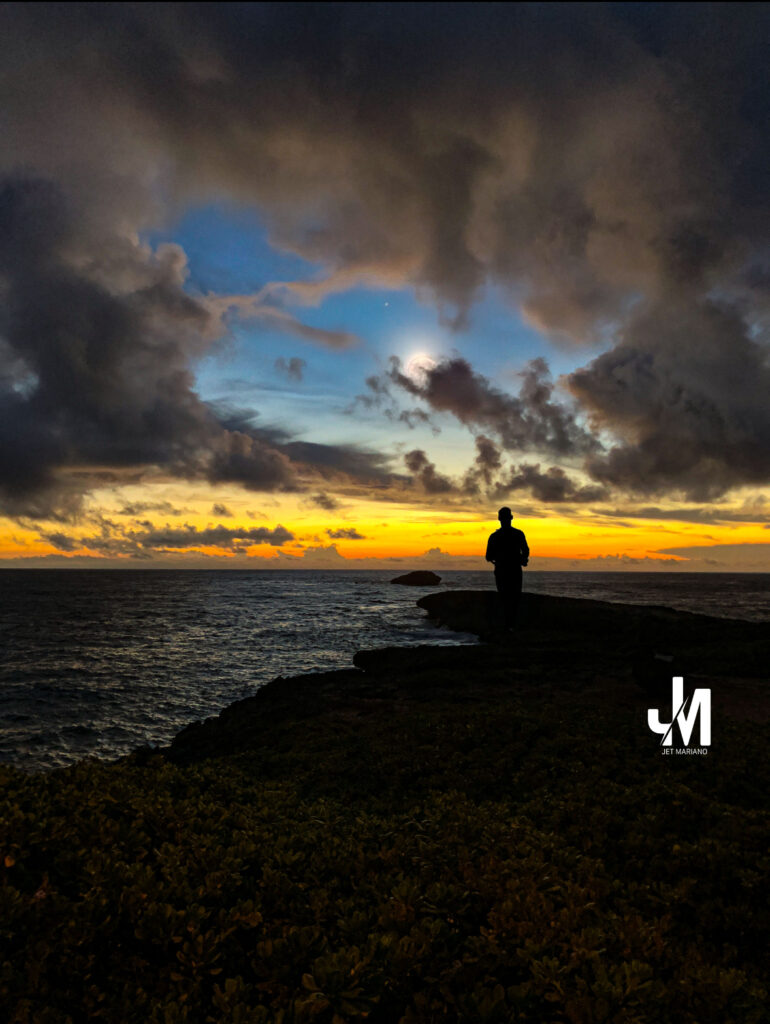
Seeing Afar Off. The eclipse rises over Joshua Tree — a reminder that vision returns, even when light feels partial.
Excerpt
In technology and in discipleship, problems rarely fail because of missing data. They fail because we cannot see far enough ahead to understand the consequences of our choices.
Intro
In IT, I have learned that anxiety often narrows vision. Early in my career, I walked into a colleague’s office convinced I had the solution to a thorny issue in a project we were co-leading. I explained what I thought we should do and why. He listened calmly, then looked across the desk and said simply, “Think about how this plays out.”
He walked me through the likely reactions of team members, the downstream effects on systems, and the unintended consequences I had not considered. His calm allowed him to think more strategically than I was able to in that moment. What I lacked was not intelligence or effort, but perspective.
Notes from the Author
In infrastructure work—whether designing a Cisco Meraki network, planning a VMware migration, or making security changes—short-sighted decisions can create long-term pain. A fix that looks elegant today can become tomorrow’s outage if we fail to see how it will unfold over time.
Perspective
When God called Enoch to be a prophet, He described a people who suffered from the same problem:
I am angry with this people, and my fierce anger is kindled against them; for their hearts have waxed hard, and their ears are dull of hearing, and their eyes cannot see afar off;
Moses 6:27
This was not merely a failure of perception. It affected how they treated one another and how they made decisions. Their inability to see beyond the present moment led to cruelty and violence. God’s work with Enoch began by expanding his vision before expanding his influence.
The Lord said to Enoch:
Anoint thine eyes with clay, and wash them, and thou shalt see.
Moses 6:35
After doing so, Enoch saw “things which were not visible to the natural eye” (Moses 6:36). With that expanded perspective, he was prepared to teach.
In modern terms, this feels familiar. When working with systems, clarity comes only after stepping back—diagramming dependencies, understanding traffic flow, or modeling failure scenarios. Seeing afar off is what separates reactive fixes from resilient design.
Peter later warned Church members of this same danger:
He that lacketh these things is blind, and cannot see afar off.
2 Peter 1:9
Elder David A. Bednar taught how this expanded vision is developed, especially within families:
Parents who consistently read and talk about the Book of Mormon with their children, who share testimony spontaneously with their children, and who invite children as gospel learners to act and not merely be acted upon will be blessed with eyes that can see afar off.
“Watching with All Perseverance,” April 2010 general conference
He directed this promise to parents—a reminder that, like Enoch, we must see more clearly ourselves in order to help others develop clearer vision. Scripture study sharpens perspective the way system diagrams sharpen architectural thinking. It reveals consequences that are not obvious in the moment.
Moroni extended a similar invitation:
…remember how merciful the Lord hath been unto the children of men, from the creation of Adam even down until the time that ye shall receive these things, and ponder it in your hearts.
Moroni 10:3
Practice Today (Not Someday)
Today, I will slow down long enough to see farther. Before making decisions, I will consider downstream effects—on people, systems, and relationships. I will study the gospel not only for answers, but for perspective, trusting that clearer vision leads to wiser choices.
Final Reflection
Whether designing networks or building faith, short-term fixes can create long-term problems. Seeing afar off requires patience, humility, and calm. When perspective expands, decisions improve—and so does the impact of our service.
Pocket I’m Keeping
Clarity comes when I stop reacting and start seeing farther.
What I Hear Now
If I expand my vision, the right decisions become clearer.
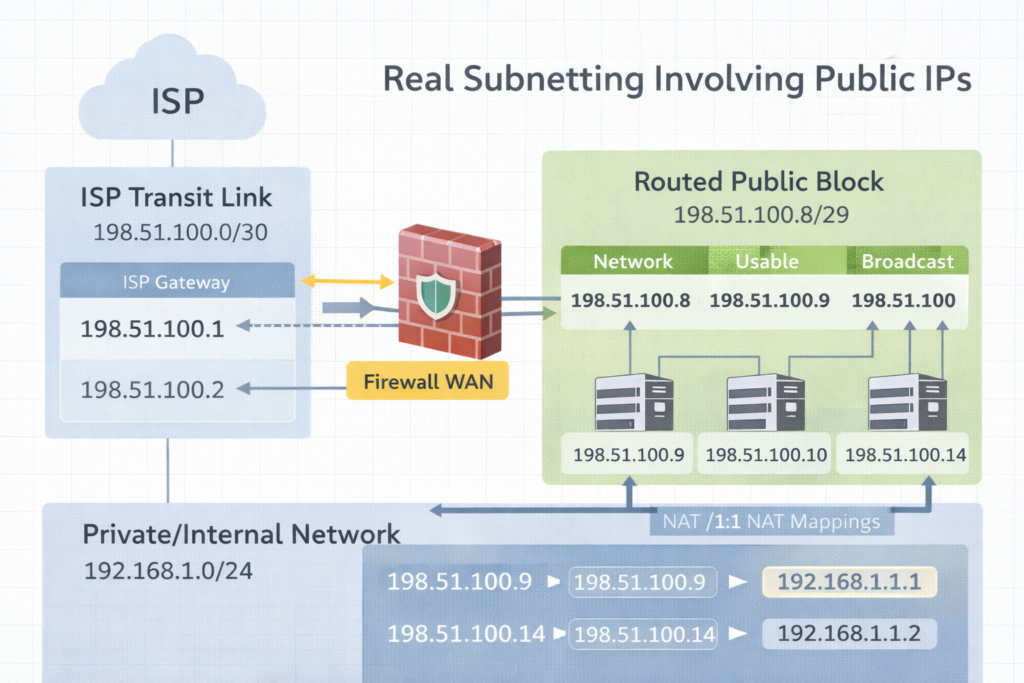
Subnetting in the real world. A /30 is the transit bridge to the ISP. The routed /29 is the public space you actually use behind the firewall.
Excerpt Subnetting clicks when you stop treating it like math and start treating it like design. The moment you get public IPs from an ISP like Comcast, you realize there are two stories happening at once. The transit link that connects you to the ISP, and the routed public block you can actually use inside your firewall.
Intro Subnetting is the practice of dividing an IP space into smaller networks so routing, security, and growth stay predictable. That sounds academic until you get a real ISP handoff and suddenly someone says, “Here’s a /30,” and you discover you only get one IP you can assign. Then they also give you a /29, and you are told those are your public LAN IPs, but they do not live on your WAN port the way you think they do.
This post will make that feel normal.
Notes from the Author Subnetting became real for me when Comcast handed us public IP space and the physical reality did not match the training diagrams. I learned there is a difference between an ISP transit network and a routed block. Once you see that difference, /29 and /30 stop being confusing and start being tools.
Perspective What is subnetting Subnetting is splitting a network into smaller networks by borrowing bits from the host portion and adding them to the network portion. The prefix length, like /24 or /30, tells you how many bits are network bits.
Why it is necessary
Routing clarity Routers make decisions based on networks, not individual IPs.
Security boundaries Separate systems by function. Users, servers, guests, printers, management.
Broadcast control Smaller broadcast domains reduce noise and improve performance.
Clean growth You can expand without renumbering everything if you plan.
Two ISP stories you must separate Story 1: The transit link, often a /30 or /31 This is the point to point connection between your firewall WAN interface and the ISP. It is not your “public LAN block.” It is just the link.
Story 2: The routed block, often a /29, /28, or larger These are the public IPs you can use for NAT, 1:1 mappings, public services, or DMZ addresses. The ISP routes that block to you through the WAN link.
This is why people say, “Comcast gave me a /30 and I only have one usable IP.” In a /30 there are 4 addresses total. Two are usable, but one is almost always used by the ISP side, and the other is used by your WAN interface. That leaves you with only one you can assign on your equipment, which makes it feel like “one usable.” That is normal.
Practice Today (Not Someday) Here are easy to very difficult examples with answers. Read them in order. The goal is understanding, not speed.
Example 1, easy Network: 192.168.1.0/24 Question: How many usable IPs, and what is the usable range
Example 2, easy to medium Requirement: at least 50 devices Base: 192.168.10.0 Question: What prefix fits, and what is the first subnet range
Answer Need at least 50 hosts. Next power of two is 64 addresses. 64 addresses means /26. Mask: 255.255.255.192 First subnet: 192.168.10.0/26 Network: 192.168.10.0 Broadcast: 192.168.10.63 Usable: 192.168.10.1 to 192.168.10.62
Example 3, medium Network: 10.20.30.0/27 Question: What is the usable range and how many usable IPs
Answer /27 means 32 addresses Usable: 30 Network: 10.20.30.0 Broadcast: 10.20.30.31 Usable: 10.20.30.1 to 10.20.30.30
Example 4, public IP reality check, /30 transit Comcast gives you: 203.0.113.8/30 Question: What are the four addresses, and which one do you typically put on your firewall WAN
Answer /30 is 4 addresses total, increments of 4 Block: 203.0.113.8 to 203.0.113.11
Network: 203.0.113.8 Usable: 203.0.113.9 and 203.0.113.10 Broadcast: 203.0.113.11
Typical assignment ISP gateway: 203.0.113.9 Your firewall WAN: 203.0.113.10 This is why it feels like you only got one usable IP. You only got one usable IP for your side. The other usable belongs to the ISP side.
Example 5, common ISP setup, /30 transit plus routed /29 Comcast gives you two things
Transit: 198.51.100.0/30
Routed block: 198.51.100.8/29 routed to your WAN IP
Question A: What goes on the WAN interface Question B: What is the usable range of the /29 and how do you actually use it
Answer A, WAN interface Transit /30 block is 198.51.100.0 to 198.51.100.3 Network: 198.51.100.0 Usable: 198.51.100.1 and 198.51.100.2 Broadcast: 198.51.100.3
Typical ISP gateway: 198.51.100.1 Your WAN: 198.51.100.2
Answer B, routed /29 /29 is 8 addresses total, increments of 8 Block: 198.51.100.8 to 198.51.100.15 Network: 198.51.100.8 Broadcast: 198.51.100.15 Usable: 198.51.100.9 to 198.51.100.14
How you use it These /29 addresses usually do not get placed directly on the WAN interface. Instead, the ISP routes that entire /29 to your WAN IP on the transit /30. Then inside your firewall you can use them for:
1:1 NAT mappings to internal hosts
Public VIPs on a DMZ interface
NAT pools
Assigning a public IP to a specific service
The key phrase you ask Comcast for is: “Confirm the routed block is routed to my WAN IP and provide the next hop.” That next hop is your WAN IP on the /30.
Example 6, difficult, find the /29 block and answer fast Given public IP: 64.71.22.14/29 Question: What is the network, broadcast, usable range
Answer /29 increments by 8 in the last octet Find the nearest multiple of 8 less than or equal to 14 8 and 16 bracket it, so network is 8
Network: 64.71.22.8 Broadcast: 64.71.22.15 Usable: 64.71.22.9 to 64.71.22.14
Example 7, difficult, build a WAN /30 from a random IP You are told your WAN IP is 75.120.44.6/30 Question: What is the /30 block and what is the ISP gateway likely to be
Answer /30 increments by 4 Nearest multiple of 4 less than or equal to 6 is 4 So block is 75.120.44.4 to 75.120.44.7
Network: 75.120.44.4 Usable: 75.120.44.5 and 75.120.44.6 Broadcast: 75.120.44.7
Likely ISP gateway: 75.120.44.5 Your WAN: 75.120.44.6
Example 8, very difficult, design for two ISPs with clean routing Requirement
ISP1 gives transit /30 and routed /29
ISP2 gives transit /30 and routed /29 You want to publish two services, one primary on ISP1, one primary on ISP2, with failover possible later.
Answer concept
Put only the transit /30 on each WAN interface
Confirm each routed /29 is routed to the correct WAN IP
Publish Service A using a public IP from ISP1 routed /29 with 1:1 NAT to internal host
Publish Service B using a public IP from ISP2 routed /29 with 1:1 NAT to internal host
Keep internal addressing private RFC1918 and do not mix public blocks inside LAN unless you have a real DMZ plan
Make sure the firewall supports policy based routing or proper default route tracking if you plan failover
This is where subnetting meets design.
Final Reflection Subnetting is not about counting. It is about ownership. When you know which addresses belong to the link, which belong to your routed block, and which belong to your internal network, you stop feeling confused. You start feeling calm.
Pocket I’m Keeping The /30 is the bridge. The routed /29 is the usable land.
What I Hear Now I can design this with intention. I can separate the transit from the routed block. I can explain it clearly to anyone on the team.
Not every battle is visible. But every choice to keep hope alive matters more than we realize.
EXCERPT
Hope is not lost in a single moment. It is stolen quietly, one small lie at a time.
INTRO
Scripture teaches that the adversary does not simply oppose us. He seeks to strip us of joy, confidence, and hope itself. Lehi warned that the devil works tirelessly to rob us of our agency and lead us toward misery. Nephi later added that these efforts are rarely loud or obvious. They are subtle. Gradual. Easy to overlook if we are not watchful.
That pattern explains why discouragement so often feels heavier than temptation. The enemy’s goal is not only to make us stumble, but to convince us that getting back up is pointless.
Yet the scriptures also give us a clear pattern for resistance.
After Moses had seen God and spoken with Him, he found himself suddenly alone and physically weak. In that vulnerable moment, Satan appeared and demanded worship. The timing was no accident. Weakness is when doubt feels loudest.
But Moses was not confused. He did not argue. He did not panic. He anchored himself in truth.
He remembered who he was.
NOTES FROM THE SCRIPTURES
Moses’ encounter with Satan teaches us that temptation often comes after spiritual strength. When the vision ended, Moses was left exhausted. That is when Satan approached him, trying to blur the line between creator and pretender.
But Moses did not measure himself by his weakness. He measured himself by his identity.
He stood on three unshakable principles.
First, he remembered that he was a son of God. Second, he refused to stop resisting when temptation persisted. Third, he relied fully on the power of Jesus Christ.
Each step brought greater strength until Satan’s influence finally broke.
The pattern is clear. Identity anchors us. Persistence strengthens us. The Savior delivers us.
PERSPECTIVE (DIRECT QUOTES)
Scripture
“I have a work for thee, Moses, my son.” Moses 1:6
“Moses, son of man, worship me.” Moses 1:12
“Who art thou? For behold, I am a son of God.” Moses 1:13
“Get thee hence, Satan; deceive me not.” Moses 1:16
“Depart hence, Satan.” Moses 1:18
“In the name of the Only Begotten, depart hence, Satan.” Moses 1:21
“Satan cried with a loud voice, with weeping, and wailing, and gnashing of teeth; and he departed hence.” Moses 1:22
Sister Tamara W. Runia
“Satan is the thief of hope.”
“Your Repentance Doesn’t Burden Jesus Christ; It Brightens His Joy,” April 2025 General Conference
PRACTICE (TODAY, NOT SOMEDAY)
Today, I will resist temptation by choosing three simple acts of faith.
I will remember who I am. A child of God, not defined by weakness, but by divine heritage.
I will be persistent. I will not give up just because temptation returns. I will stand again, and again, and again.
I will rely on Jesus Christ. Not only in moments of crisis, but in every quiet struggle where hope feels fragile.
FINAL REFLECTION
Satan rarely begins by asking us to abandon faith. He begins by whispering that faith is not working.
He steals hope before he steals obedience. He drains courage before he attacks conviction.
But Moses shows us a better way.
Hope is protected when we know who we are. Strength grows when we keep standing. Victory comes when we trust in the Savior’s power instead of our own.
POCKET I’M KEEPING
Hope is not something I lose. It is something I must protect.
WHAT I HEAR NOW
“Satan is the thief of hope.”
But Jesus Christ is the Giver of strength. And with Him, hope can never truly be stolen.
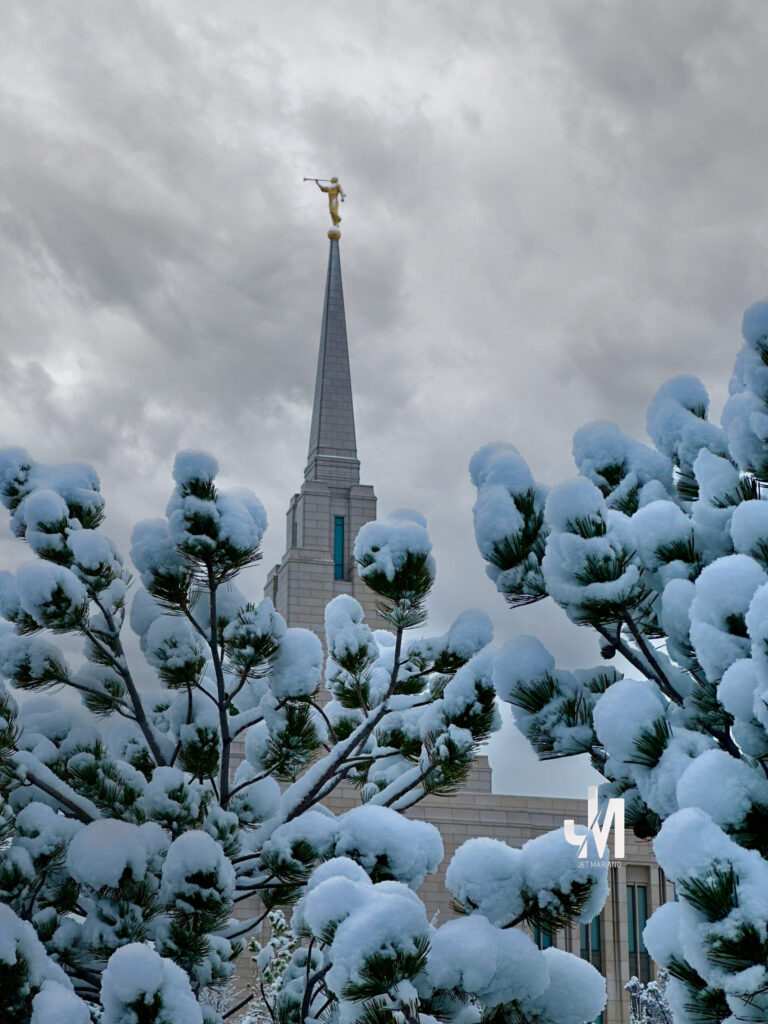
Snow resting on the Oquirrh Mountain Temple this morning, a quiet reminder that even in the coldest seasons, God is still building something holy in us.
EXCERPT
God does not just see who we are. He sees what we can become — and invites us to help Him get there.
INTRO
Most of us want to feel valued, not just noticed, but trusted. We want to know that our lives matter beyond our own circle, that what we do makes a real difference.
One of the quiet truths of the gospel is that God increases our sense of worth by inviting us to participate in His work. He does not simply affirm who we are. He assigns us something meaningful to do.
When the Lord spoke to Moses, He first declared, “Thou art my son.” Then He added an invitation that changed everything: “I have a work for thee.” In that moment, identity became purpose.
The same pattern appears again and again in scripture. Abraham learned that he had been chosen before he was born. Alma taught that many were prepared from the foundation of the world to help others enter God’s rest. These were not random callings. They were expressions of divine confidence.
Not everyone receives a visible role like Moses or Abraham. Most of us are called in quieter ways. Still, the principle is the same. Whether the work feels large or small, every invitation to serve is God saying, I trust you. I need you. You matter in My plan.
NOTES FROM THE SCRIPTURES
Throughout scripture, God affirms worth and then invites action.
Moses learned he was a son of God before being sent to liberate a nation. Abraham learned he was chosen before being entrusted with leadership. Alma taught that many were prepared long before they were ever called.
The pattern is consistent. Calling follows confidence. Service follows identity.
Even Amulek, who described himself as being “called many times,” shows us that repeated, simple invitations can be just as sacred as dramatic ones.
PERSPECTIVE (DIRECT QUOTES)
Scripture
“I have a work for thee, Moses, my son.” Moses 1:6
“Thou wast chosen before thou wast born.” Abraham 3:23
“They were called and prepared from the foundation of the world.” Alma 13:3
President Spencer W. Kimball
God does notice us, and he watches over us. But it is usually through another person that he meets our needs. Therefore, it is vital that we serve each other in the kingdom. … So often, our acts of service consist of simple encouragement or of giving mundane help with mundane tasks, but what glorious consequences can flow from mundane acts and from small but deliberate deeds!
“Small Acts of Service,” Ensign, December 1974
President Thomas S. Monson
I experienced … as I have many times before, a sense of gratitude that my Heavenly Father had answered another person’s prayer through me.
“The Priesthood—a Sacred Gift,” April 2007 General Conference
PRACTICE (TODAY, NOT SOMEDAY)
Today, I will look for the ways God is calling me to serve.
Not only in the obvious moments, but in the quiet ones. In a kind word. In a listening ear. In a simple act that no one else may notice.
I will recognize these invitations for what they truly are. Not interruptions. Not obligations. But expressions of trust.
Each small call is a reminder that God believes in me. That He sees my potential. That He trusts my ability to bless others right now.
FINAL REFLECTION
Some people are asked to lead nations. Others are asked to lift one soul at a time.
Both are sacred.
God’s work does not move forward only through grand moments. It advances through countless quiet acts of faith, done by ordinary people who accept divine invitations.
To be given work in God’s kingdom is not a burden. It is a gift. A sign of confidence from heaven.
POCKET I’M KEEPING
When God gives me something to do, He is not testing me. He is trusting me.
WHAT I HEAR NOW
“I have a work for thee.”
Not just for prophets. Not just for leaders. But for me. Today.
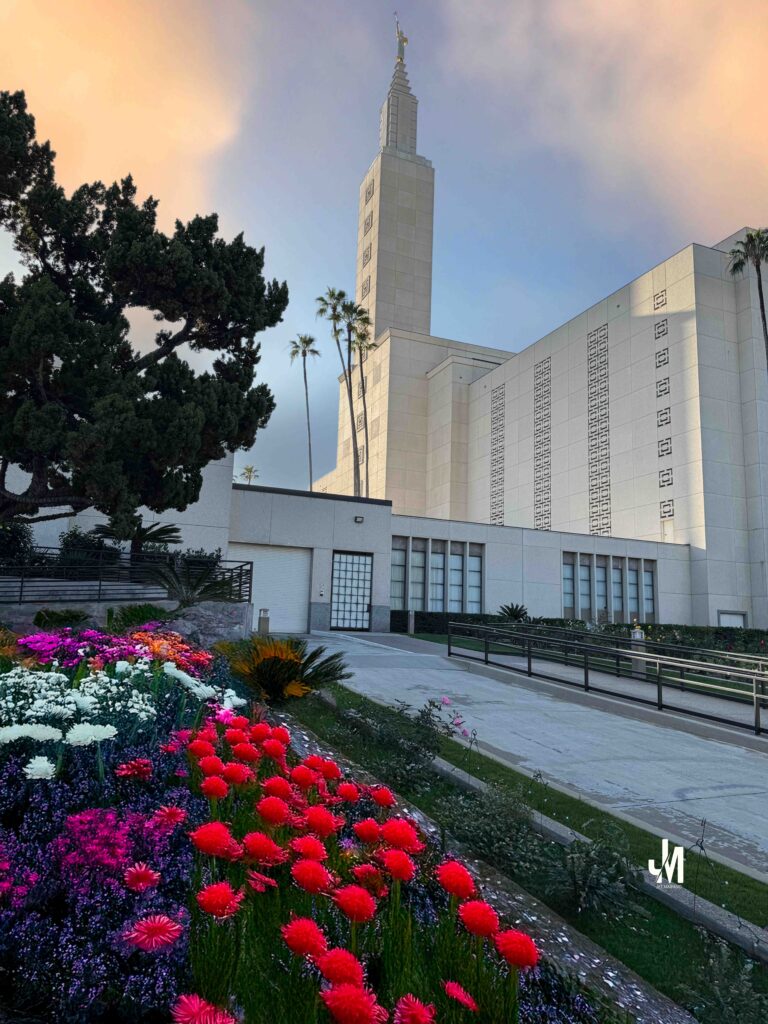
A quiet morning at the Los Angeles Temple, where light meets stillness and reminds me that every day with Jesus Christ is a new beginning.
EXCERPT
A new year does not begin because the calendar changes. It begins because Jesus Christ makes change possible, again and again.
INTRO
January always feels like a threshold, but this year feels different. I am not stepping into 2026 only with goals, but with a deeper awareness of how much I still need the grace of new beginnings.
On a personal level, I began something in late December that has already humbled me. I enrolled in boxing training and quickly learned the truth of a saying I once heard, “Everyone can fight, but not everyone can box.” Since December 23, I have trained six days a week, three hours a day, discovering that boxing is not about force, but fundamentals. Footwork. Head movement. Timing. Discipline. Skills, technique, and speed matter more than power.
Watching the greats only deepened that lesson. Manny Pacquiao, an eight-division world champion, did not become legendary by relying on strength alone, but by mastering movement, adaptability, and relentless discipline. His career is proof that greatness is built on fundamentals refined over time.
The same principle echoes in Bruce Lee’s timeless words, “Be water, my friend.” To be adaptable. Formless. Fluid. To empty the mind and adjust to whatever shape life requires. Water flows around obstacles, yet can also crash through them when needed. That image has stayed with me in training. Every session feels like learning how to move with life rather than against it.
Professionally, 2026 brings its own kind of discipline. Major work lies ahead. Domain transitions. Intune migrations. Expanding responsibilities in Azure that will demand precision, patience, and steady endurance. These are not quick victories. They require humility, adaptability, and the willingness to begin again when plans change.
As I reflected on these personal and professional goals, Elder Patrick Kearon’s message from General Conference settled deeply in my heart. His words felt like the spiritual parallel to everything I was learning in the gym and at work.
“All of us can have a new beginning through, and because of, Jesus Christ. Even you.”
In that moment, I saw the connection clearly. Boxing teaches me to move with discipline. Work teaches me to adapt with patience. But the Savior teaches me something far greater.
No matter how many times I stumble, hesitate, or feel behind, through Jesus Christ I am never out of beginnings. This year is not just about improvement. It is about remembering that in every arena of life, spiritual and temporal, I am allowed to start again.
NOTES FROM ELDER PATRICK KEARON
Elder Kearon reminded us that when Jesus walked among the people, He did more than perform miracles. He restored hope. He reached those society avoided. He touched the diseased and comforted the weary. He taught liberating truth and called sinners to repentance.
To the blind, the lame, the grieving, the ashamed, and the broken in spirit, what the Savior offered was not simply relief from pain. He offered a new beginning.
Not once. Not rarely. But as often as needed.
Elder Kearon taught that baptism is not our only chance to start again. Through weekly sacrament and daily repentance, we are invited into continual renewal. This is not a church of one-time forgiveness. This is the Church of new beginnings.
PERSPECTIVE (DIRECT QUOTES)
“All of us can have a new beginning through, and because of, Jesus Christ. Even you.”
“With baptism by water and the Spirit, we are born again and can walk in newness of life.”
“These new beginnings can happen every day.”
“Jesus gives us as many new beginnings as we need.”
PRACTICE (TODAY, NOT SOMEDAY)
Today’s practice is choosing renewal over regret.
It is stepping into the gym again, even when yesterday felt like failure. It is opening the laptop again, even when yesterday felt overwhelming. It is kneeling in prayer again, even when yesterday felt heavy.
Faith is not demanding perfect conditions. Faith is trusting the Savior who makes imperfect beginnings holy.
Repentance is not fear. It is hope in motion.
FINAL REFLECTION
The Savior never gave up on His mission, even when the cost was suffering beyond measure. He endured so that I would never run out of beginnings.
Not just at baptism. Not just at major turning points. But every ordinary day when I choose to stand up again.
That is what faithful endurance looks like. Not perfection. But persistence with God.
POCKET I’M KEEPING
I do not have to wait for a perfect moment to change. I only need to choose to begin again, today.
WHAT I HEAR NOW
“All of us can have a new beginning through, and because of, Jesus Christ. Even you.”
“This is the Church of new beginnings.”
“Jesus gives us as many new beginnings as we need.”
Cheerful Giver. A quiet reminder that faith is practiced through trust, discipline, and gratitude.
Excerpt
In 2025, the Doctrine and Covenants did more than guide my study. It quietly shaped my choices, my discipline, my priorities, and the way I practiced faith in ordinary life.
Intro
Studying the Doctrine and Covenants this year felt less like following a schedule and more like walking alongside revelation that insisted on application. The lessons were not abstract. They pressed gently but consistently into how I prayed, how I worked, how I cared for my body, how I gave, and how I treated time as something sacred rather than expendable.
This was not a year of dramatic spiritual moments. It was a year of steady alignment.
Notes from the Doctrine and Covenants
Again and again, the Doctrine and Covenants reminded me that God is already offering light, direction, and help. Receiving those gifts requires intention. Revelation is not passive. It is chosen.
Holiness emerged as something practical. Holy places matter, but so do holy habits. Order invites peace. Discipline creates freedom. Obedience is not restriction. It is alignment with divine patterns that actually work.
Joy was reframed. Not as ease, but as purpose. Even in difficulty, joy grows when time is used wisely and life is ordered toward things of eternal value.
Education stood out as a divine expectation. Learning is not optional. God prepares His people by helping them develop intelligence, skill, and faith together.
Family relationships deepened my understanding of eternity. Joy increases as relationships are strengthened on both sides of the veil. Zion is not built alone.
Perspective (Direct Quotes)
Stand ye in holy places, and be not moved.
Be anxiously engaged in a good cause.
Teach ye diligently.
Seek learning, even by study and also by faith.
Where much is given, much is required.
Practice (Today, Not Someday)
Today, I choose to receive light intentionally. Today, I guard time spent in holy places. Today, I live the Word of Wisdom as a daily discipline, not a checklist. Today, I practice the law of tithing with trust rather than fear. Today, I invest in learning, family, and unity.
Holiness is not postponed. It is practiced now.
Final Reflection
The Doctrine and Covenants taught me that obedience is not about perfection. It is about direction. When life is ordered according to divine patterns, strength is renewed, clarity increases, and peace follows.
God does not rush His work. He prepares His people patiently as they choose to act.
Pocket I’m Keeping
Light fills every part of life that is opened to receive it.
What I Hear Now
Be anxiously engaged in a good cause.
Where much is given, much is required.
I am bound when you do what I say.
Every blessing is predicated upon obedience.
Be ye clean that bear the vessels of the Lord.
Let virtue garnish thy thoughts unceasingly.
Stand ye in holy places, and be not moved.
Seek learning, even by study and also by faith.
As health is honored, wisdom and hidden treasures of knowledge are revealed, and strength is renewed to run and not be weary, to walk and not faint.
As trust is practiced through tithing, fear gives way to confidence, and the promise stands that the faithful shall not be burned at His coming.
The same sociality that exists among us here will exist among us there, coupled with eternal glory.
Whatever principles of intelligence we gain in this life will rise with us in the resurrection.
From the Last General Conference Address of President Jeffrey R. Holland, October 2025
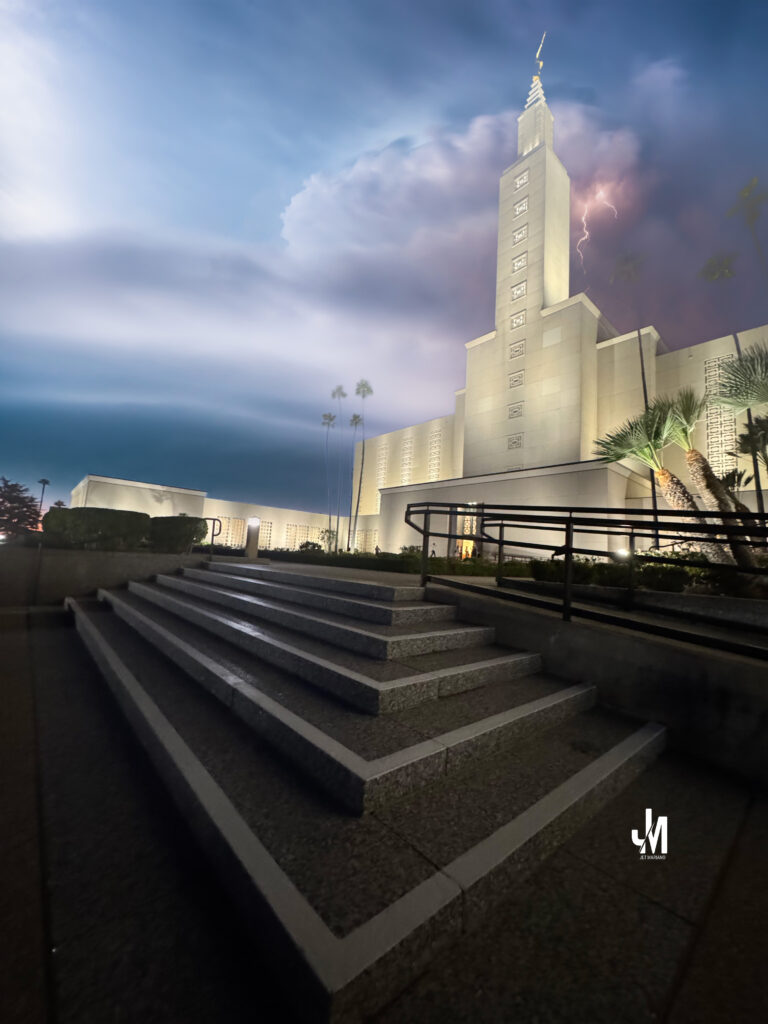
After nearly four years since moving to Utah, I returned here for proxy endowment. As I arrived at the temple grounds, news came that Jeffrey R. Holland had passed away. California had endured storms through Christmas Eve, Christmas Day, and the day after. As the rain finally lifted, light broke through lingering clouds, marking a quiet and sacred hour.
MIT8 — “And Now I See”
From President Jeffrey R. Holland, Oct 2025 General Conference
Excerpt
“Whereas I was blind, now I see.” John 9:25
Intro
On December 27, 2025, while I was inside the Los Angeles Temple performing proxy endowment work, President Jeffrey R. Holland passed away.
As I later reflected on his final General Conference message, my thoughts returned not to sentiment, but to scripture — to the blind man healed by the Savior, and to the simple, unmistakable declaration that became the heart of Elder Holland’s witness:
“And now I see.”
Notes from President Jeffrey R. Holland
President Holland anchored his message in John chapter 9, where Jesus and His disciples encounter a man blind from birth. When the disciples asked complicated questions about blame and cause, the Savior answered not with theory, but with action.
He spat on the ground, made clay, anointed the man’s eyes, and sent him to wash in the pool of Siloam. The man obeyed. He returned seeing.
When challenged by those who opposed Jesus, the healed man bore a witness rooted not in argument, but in experience:
“Whether he be a sinner or no, I know not: one thing I know, that, whereas I was blind, now I see.”
President Holland emphasized that evidence matters — lived truth over accusation, obedience over debate.
Perspective (Direct Quotes)
Scripture — John 9:25 “Whereas I was blind, now I see.”
President Jeffrey R. Holland: “So what if the answers to our prayers come in plain or convoluted ways? Are we willing to persevere, to keep trying to live Christ’s gospel no matter how much spit and clay it takes? It may not always be clear to us what is being done or why, and from time to time, we will all feel a little like the senior sister who said, ‘Lord, how about a blessing that isn’t in disguise?’”
President Jeffrey R. Holland: “My first sight-giving, life-giving encounter with real evidence of truth did not come with anointing clay or in the pool of Siloam. No, the instrument of truth that brought my healing from the Lord came as pages in a book, yes, the Book of Mormon: Another Testament of Jesus Christ! The claims about this book have been attacked and dismissed by some unbelievers, the anger often matching the vitriol of those who told the healed man that he could not possibly have experienced what he knew he had experienced.”
Practice (Today, Not Someday)
Today’s practice is obedience without full explanation.
It is accepting that the Savior may heal us through methods that seem plain, uncomfortable, or disguised. It is choosing to wash in the pool when instructed — even when we do not yet understand the why.
Faith is not demanding better ingredients. Faith is trusting the Healer.
Final Reflection
President Holland taught that God’s power is not diminished by simple instruments.
Spit and dirt. Clay and water. A book of scripture.
What matters is not the method, but the obedience — and the courage to testify afterward.
Inside the temple that day, I felt again the quiet power of a witness earned through experience, not argument:
Whereas I was blind, now I see.
Pocket I’m Keeping
“Are we willing to persevere, no matter how much spit and clay it takes?”
What I Hear Now
The Savior does not always heal in ways that impress the crowd. But He always heals in ways that change the soul.
In the world of Infrastructure Engineering, we often say that “Complexity is the enemy of reliability.” Whether we are managing an M365 environment or a distributed network of remote nodes, the goal is always the same: High Availability (HA).
As a Senior Engineer, I view system resilience through three specific forensic lenses. Here is how we ensure “Uptime” when the environment becomes unpredictable.
1. The Heartbeat Protocol: Real-Time Telemetry
In a distributed system, you cannot manage what you cannot see. Implementing a “Heartbeat” or real-time location sharing for remote assets is the difference between proactive recovery and forensic failure analysis.
A consistent heartbeat ensures that the central controller knows exactly where the data (or the asset) is at all times. If a node goes silent—especially during a critical window like a 3:00 AM deployment—the system shouldn’t have to wait for a user to report a “down” status; the heartbeat failure should trigger the “Rescue Protocol” automatically.
2. Edge Hardening: Preparing for Environmental Extremes
We often focus on the software, but the physical “Base Layer” is where many systems fail. In engineering, we call this Environmental Hardening. Just as we provide thermal protection for outdoor hardware to prevent “cold-start” failures, we must ensure our digital assets have the proper “insulation.” In an enterprise context, this means:
Redundant Power: Ensuring “thermodynamic” stability for remote nodes.
Physical Security: Using high-fidelity interfaces to maintain signal integrity in noisy environments.
3. Resource Pooling: Eliminating Single Points of Failure
The most resilient systems utilize Resource Pooling. By creating a “Joint Account” of resources (storage, compute, or capital), we ensure that the system has immediate access to what it needs, even if one “administrator” is offline.
Moving from a single-owner architecture to a shared-resource model reduces latency and ensures that the mission (the application) continues to run without interruption. It is the ultimate safeguard against the “Government Thieves” of data—bottlenecks and probate-like locks.
Forensic Conclusion: True engineering isn’t about building a system that never fails; it’s about building a system that is sensible enough to recover when it does. As the late Bruce Lee said, “The stiffest tree is most easily cracked, while the bamboo or willow survives by bending with the wind.”
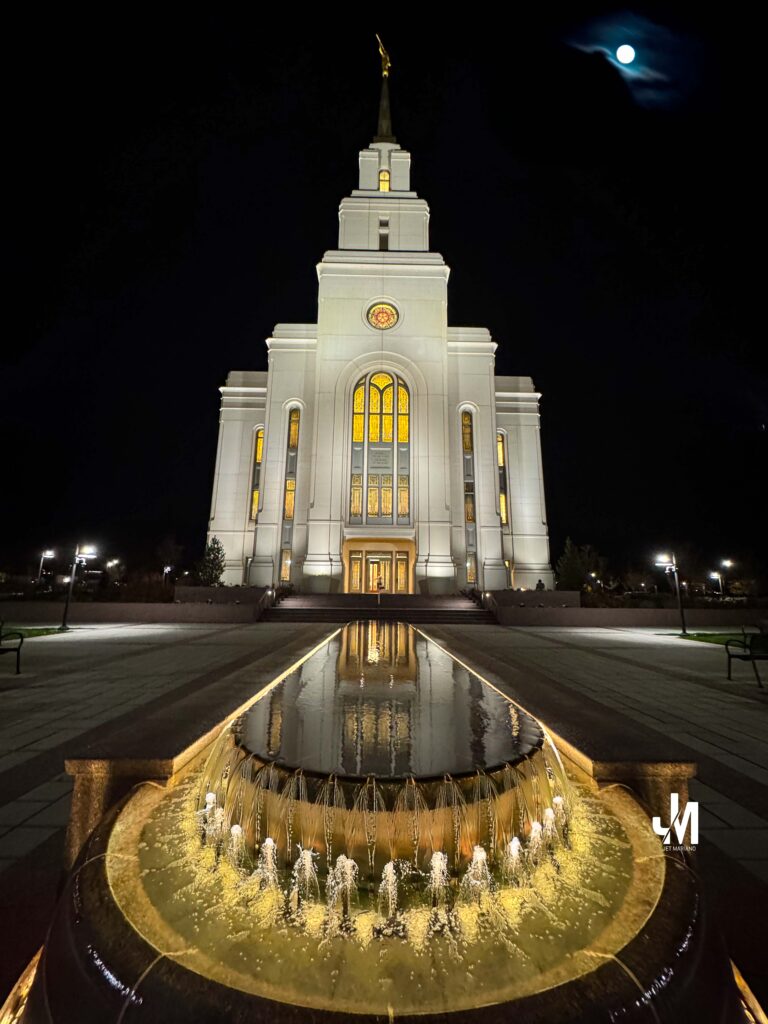
Layton Temple beneath the final supermoon of 2025 — a quiet witness that light continues to rise, even after long nights.
Excerpt
“Don’t give up, boy. Don’t you quit. You keep walking. You keep trying. There is help and happiness ahead. Trust God and believe in good things to come.”
Intro
For the last four days, I have listened repeatedly to Elder Jeffrey R. Holland’s talk An High Priest of Good Things to Come. On December 4, 2025, standing at the Layton Temple beneath the final supermoon of the year, those words settled deeply into my heart.
This was not a message of quick relief or easy answers. It was a message spoken to the weary, the long-suffering, and those who keep walking even when the road feels endless.
Notes from Elder Jeffrey R. Holland
Elder Holland shared a tender, personal account from his life — a moment when he imagined speaking to his younger self during a season of discouragement and uncertainty.
Rather than rewriting the past, he offered reassurance. Not denial of hardship, but perspective gained through time, faith, and endurance.
His message was simple and powerful: God was already at work. Help was already coming. And quitting was never the answer.
Perspective (Direct Quotes)
“In that imaginary instant, I couldn’t help calling out to him: ‘Don’t give up, boy. Don’t you quit. You keep walking. You keep trying.’”
“There is help and happiness ahead — a lot of it — 30 years of it now, and still counting.”
“You keep your chin up. It will be all right in the end.”
“Trust God and believe in good things to come.”
Practice (Today, Not Someday)
Today, the practice is not dramatic change. It is refusal to quit.
It is continuing to walk when answers are delayed. It is continuing to believe when outcomes are unseen. It is choosing faith not because the road is easy, but because God is faithful.
Today, I keep walking.
Final Reflection
Under the rising supermoon at the Layton Temple, I felt something quiet but firm: reassurance does not erase trials, but it strengthens the traveler.
God does not rush us through our struggles. He walks with us through them.
Pocket I’m Keeping
“Don’t give up. Don’t quit. Keep walking. Trust God. Good things are coming.”
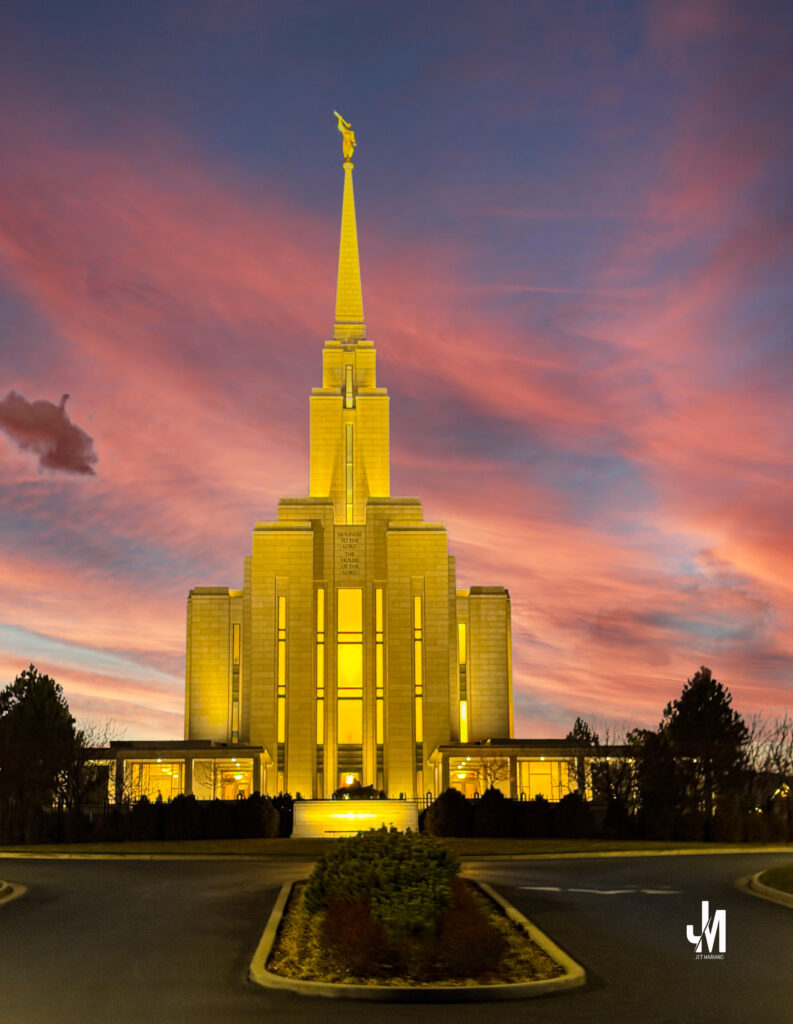
Oquirrh Mountain Temple glowing at dusk, December 13, 2025 — a quiet reminder that holiness is preserved by preparation.
Excerpt
“The other card which I have is what we call a temple recommend. It represents a credit card with the Lord, making available to me many of His greatest gifts. The bank card is concerned with things of the world, the recommend with things of God.”
Intro
December 13, 2025. 6:00 PM. Proxy Endowment at the Oquirrh Mountain Temple.
As the sky deepened into winter color and the temple stood illuminated against the dusk, I carried more than a recommend in my pocket. I carried a reminder. President Gordon B. Hinckley’s words returned clearly and quietly, teaching not just what a temple recommend is, but what it represents. Not a formality. Not a routine. A sacred trust.
Notes from President Gordon B. Hinckley
President Hinckley offered a simple but unforgettable comparison.
He held up two cards.
One was a bank credit card. Useful. Valuable. Governed by contracts and conditions. Issued temporarily. Revocable if misused. Owned ultimately by the bank.
The other was a temple recommend.
A different kind of credit entirely. A credit card with the Lord.
Unlike financial credit, eligibility for a temple recommend is not based on wealth, status, or means. It is based on consistent personal behavior, moral worthiness, and the goodness of one’s life. It is concerned not with money, but with eternity.
He reminded us that a recommend is not permanent. It must be renewed. Worthiness must be maintained. And sometimes, he cautioned, we rush people to the temple before they are truly prepared.
So sacred was this matter in earlier times that Presidents of the Church personally signed every recommend themselves.
Perspective (Direct Quotes)
“I hold before you two credit cards. Most of you are familiar with cards such as these.”
“The other card which I have is what we call a temple recommend. It represents a credit card with the Lord, making available to me many of His greatest gifts.”
“Eligibility for a temple recommend is not based on financial worth. That has nothing whatever to do with it. It is based on consistent personal behavior, on the goodness of one’s life.”
“The temple recommend which you carry, if honestly obtained, is certification of your moral worthiness.”
“What a unique and remarkable thing is a temple recommend. It is only a piece of paper with a name and signatures, but in reality it is a certificate that says the bearer is honest, true, chaste, benevolent, virtuous.”
“It makes one eligible for an exclusive and remarkable privilege—the privilege of entering that House which says on its wall, ‘Holiness to the Lord—the House of the Lord.’”
“Live worthy to serve in that house. Keep it holy.”
Practice (Today, Not Someday)
Today I ask myself:
Am I treating my temple recommend as a privilege or as a routine?
Am I living in a way that quietly honors what it certifies?
Worthiness is not proven at the interview table alone. It is practiced daily in private choices, honest dealings, clean thoughts, and deliberate restraint. Today, not later. Now, not eventually.
Final Reflection
Standing before the Oquirrh Mountain Temple, I was reminded that holiness is not accidental. It is cultivated. A recommend is renewed on paper every two years, but it is renewed in the soul every single day.
The Lord does not rush holiness. He invites preparation.
Pocket I’m Keeping
“Entering the temple is a privilege to be earned and not a right that automatically goes with Church membership.”
System Monitoring Made Simple for IT Admins & Security Pros
Sysmon (System Monitor) is part of Microsoft’s Sysinternals Suite, and it gives you deep visibility into process creation, network connections, file changes, and system activity. For threat detection, forensics, and baselining, Sysmon is one of the most powerful free tools you can deploy.
In this guide, I’ll walk through the step-by-step process of installing Sysmon cleanly on a Windows 11 machine, loading a hardened configuration, enabling the event log, and validating that everything is working.
This is the exact method I used on my laptop — clean, repeatable, and production-ready.
1. Prerequisites
Before you start:
Log in as a user with Local Administrator rights.
Open PowerShell as Administrator.
You’ll be using a mixture of PowerShell commands and Event Viewer, so make sure you have admin elevation.
2. Download Sysinternals Suite
Microsoft distributes Sysmon inside the Sysinternals Suite ZIP.
Download Sysinternals Suite from Microsoft’s official site.
Right-click Sysmon → Operational → Add to Favorites.
9. Updating the Sysmon Config Later
If you want to modify or replace the config:
cd C:\Sysinternals
.\Sysmon64.exe -c C:\Scripts\Sysmon\sysmonconfig.xml
You should see:
Configuration updated.
No reinstall required.
10. Uninstall Sysmon (if needed)
cd C:\Sysinternals
.\Sysmon64.exe -u force
This removes:
Sysmon64 service
SysmonDrv driver
Registry entries
Event manifest
Conclusion
Once installed, Sysmon becomes a powerful source of system telemetry for:
Threat hunting
Malware investigation
Lateral movement detection
Process monitoring
Incident response
Forensic analysis
With a hardened config, Sysmon gives deep visibility with minimal overhead — making it an essential component of any Windows security stack.
If you’re deploying Sysmon across multiple endpoints (like we do at work), you can automate it using Intune, GPO, or a custom PowerShell deployment package.
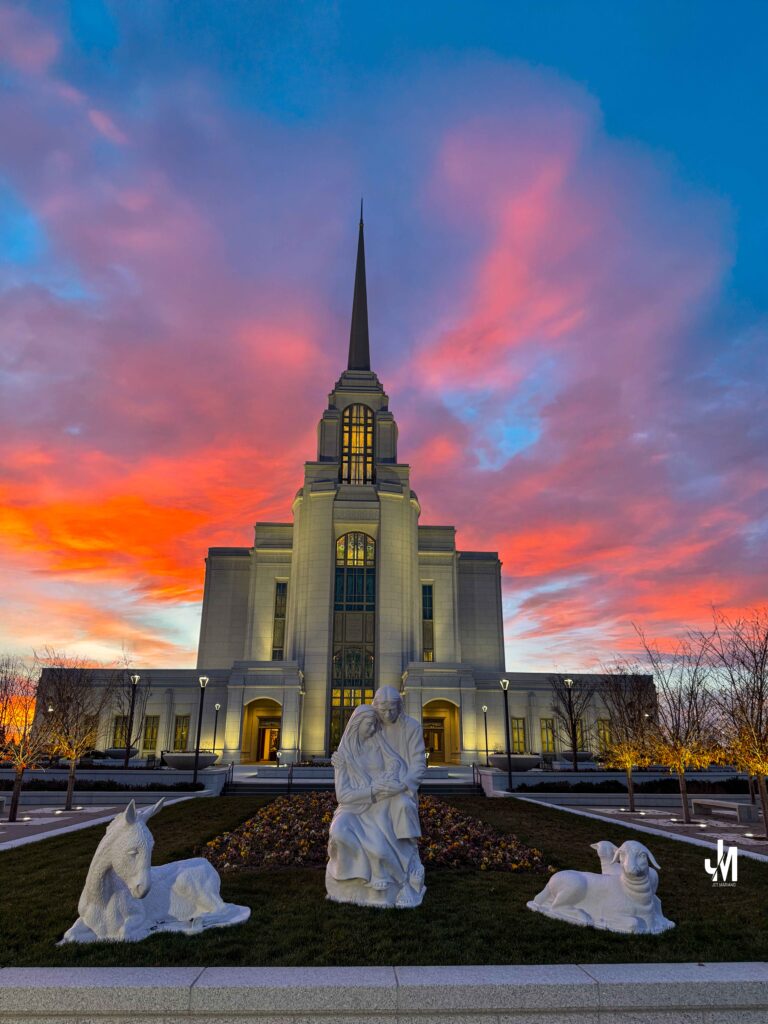
A fiery sky closing the day, almost as if heaven was offering its own hymn. The temple stood steady, unchanged, reminding me to praise Him not only in blessings received, but in blessings still forming.
Excerpt
A Thanksgiving weekend temple visit, four evening photos, quiet worship, and a lesson about gratitude that opened my heart in a new way.
Intro
Last night at the Syracuse Utah Temple, I watched the sky turn from warm sunset to cold moonrise. Christmas lights glowed on the temple grounds, and a waxing gibbous moon appeared just as I finished my proxy endowment session. It reminded me of something simple but powerful: joy is meant to be expressed. And worship, especially through music, is one of the clearest ways to do it.
Notes from Elder Cook and Elder Soares
Giving voice to our joy is just as important as seeking comfort in sorrow. Elder Quentin L Cook taught that lives full of praise, music, and thanksgiving are uniquely blessed. Moroni described worship this way: Preaching, exhorting, prayer, supplication, and singing — all led by the Spirit. Elder Ulisses Soares reminded us to tune our hearts to the Lord through sincere singing of sacred hymns. Singing is the one form of worship where the entire congregation participates. It is unity in real time.
Perspective
Last night I thought about the way music lifts the soul. A hymn is not just melody. It is prayer with a pulse. When we sing, we do not stand alone. Heaven joins us. I felt that inside the endowment room and again as I took photos outside: worship is not something we check off. It is something we become.
Practice (today, not someday)
Today I will worship with music. I will lift my voice, even quietly, in hymn-singing. I will let the words settle into my mind and soften my heart. I will give thanks in song, not just in thought.
Final Reflection
Tonight a single scripture opened in a new way for me: D&C 59:21. The Lord did not say to thank Him for all things. He said to acknowledge His hand “in” all things.
There is a difference. For is gratitude for what God has already done. In is gratitude for what God is about to do.
“For” looks back. “In” looks forward. For celebrates what arrived. In trusts what is still forming.
Being thankful for blessings is remembering. Being thankful in blessings is faith — the kind that walks forward without seeing the whole path. Last night I learned that gratitude is not only a reaction to the past. It is trust in the present. It is the courage to say, even before the blessing is visible, I know God is working in this.
Pocket I’m Keeping
Gratitude is not only looking back at what God has done. It is looking forward with faith at what He is shaping next.
What I Hear Now (direct quotes)
Moroni 6:6 Their meetings were conducted after the manner of the workings of the Spirit. Elder Cook Lives full of praise, music, and thanksgiving are uniquely blessed. Elder Soares Tune your heart to the Lord through sincere singing.
Whether it’s PowerShell, VMware, or supporting the team, I give my best because people depend on what happens behind this screen.
Introduction
Email is still the heart of business communication, and it’s also the easiest door for attackers to exploit. This is my real-world approach to securing Exchange Online: how I protect messages, enforce policies, retain critical data, and keep unwanted activity out of the environment. These are the tools I use every day — quiet, behind-the-scenes work that keeps an entire organization safe.
Messaging Policies and Mail Protection
What
Mail flow rules control how messages enter, exit, and move inside the company. They prevent risky behavior, secure sensitive data, and keep communication structured.
Why
Without strict policies, users can accidentally leak information, forward confidential data, or bypass compliance rules.
How
Mail Flow Rules I Maintain
• Prevent auto-forwarding outside the company • Block forwarding to personal Gmail/Yahoo • Restrict sensitive keywords (finance, HR, payroll) • Add disclaimers for external recipients • Enforce rules for shared mailboxes
This is my Exchange Online security toolkit — the messaging controls, retention systems, compliance protections, and routing safeguards I use every day. These tools protect users, leadership, legal teams, and the entire organization from silent risks that hide inside email traffic.
Real security isn’t loud. It’s consistent, careful, and invisible — until the moment it saves the business.
One of my favorite seasons of my life. Serving the city, keeping critical systems alive, and learning the foundations that shaped who I am as an engineer today. Every console screen taught me something new and every problem strengthened my desire to help others through technology.
My Essential IT Troubleshooting Guide
In every company I have worked for, the tools that saved the day were not fancy dashboards but simple commands and fundamentals I could trust. This is my personal troubleshooting arsenal, written so even a non technical reader can follow the logic behind what I do.
Each section answers three things • What it is • Why it matters • How I use it in real life
Name Resolution Basics
A record
What • A record is a phone book entry that says “this name belongs to this IP address.”
Why • Users remember names better than numbers. If the A record is wrong or missing, they land in the wrong place or nowhere.
How I use it • When a site is not loading, I ping the name and check if the IP address matches what we expect. • If it does not, I fix the A record in DNS and wait for it to replicate.
CNAME
What • A CNAME is a nickname that points one name to another name.
Why • It lets you move services without breaking users. The public name stays the same while the target changes behind the scenes.
How I use it • For services like autodiscover or app portals, I often see CNAMEs that point to Microsoft or another provider. • When something breaks after a cutover, CNAMEs are one of the first things I verify.
DNS
What • DNS is the global phone book that turns names into IP addresses.
Why • If DNS fails, everything feels broken. Browsers, Outlook, file shares, all of them depend on DNS.
How I use it • I run nslookup name.company.com to see which DNS server is answering and what IP it returns. • If users in one site can reach something and other users cannot, I compare DNS answers between locations.
Hosts file
What • The hosts file is a tiny local phone book on the computer.
Why • It overrides DNS for that machine. One bad line can send traffic to the wrong place.
How I use it • Location on Windows
C:\Windows\System32\drivers\etc\hosts
• I open it with Notepad as administrator. • If someone hard coded a testing IP and forgot about it, I comment it out or remove it, then flush DNS.
Flush cache
ipconfig /flushdns
Nbtstat and TCP IP
What • Nbtstat is an older tool for NetBIOS name resolution. • Hard coded TCP IP means a manual IP instead of DHCP.
Why • Nbtstat helps when legacy name lookups act strange. • Hard coded IPs can cause conflicts or make VLAN changes painful.
How I use it • nbtstat -n to see local NetBIOS names. • nbtstat -c to see the name cache. • When I find static IPs on client machines, I document them and move them to DHCP reservations so the network is easier to manage.
Network control panel shortcut
I still use this every week
From Run
ncp.cpl
It opens the Network Connections window so I can quickly check adapters, enable or disable, or look at IPv4 settings.
DHCP Essentials
What • DHCP hands out IP addresses, gateways and DNS to clients.
Why • If DHCP fails, users cannot get on the network or suddenly have duplicate addresses.
Best practices • Use at least two DHCP servers where possible. • Define scopes with correct gateway and DNS. • Use reservations for printers and key servers.
Commands I use on clients
ipconfig /release ipconfig /renew
If a user can reach the internet but not internal resources, I check that DNS from DHCP is internal and not a public resolver.
MX, Autodiscover and Mail Flow
MX record
What • MX tells the world which server receives mail for your domain.
Why • If MX points to the wrong place or has a low priority backup you forgot, email can vanish or queue.
How I use it • I use MXToolbox to check MX records and verify that they point to Exchange Online or the correct email gateway.
Autodiscover
What • Autodiscover tells Outlook where to find the mailbox and settings.
Why • A broken autodiscover record means constant password prompts or profile creation failures.
How I use it • I verify the Autodiscover CNAME or SRV record. • I test with Outlook connectivity tools or Test-OutlookConnectivity when available.
Hunting spam engines and bad SMTP
Where malware hides • In browser extensions • In Outlook add ins • In unknown services or scheduled tasks that send mail through SMTP
How I clean it without reimaging • Check Outlook add ins and disable anything suspicious. • Run msconfig and Task Manager to review startup items and tasks. • Review SMTP logs on the server to see which host is sending unexpected traffic.
Certificates and SSL in Hybrid Environments
Internal web apps depend on trusted certificates so browsers know the site is safe. When an SSL expires, internal apps stop working and Chrome or Edge will show warnings.
Why we create new SSLs • Internal web apps must be trusted. • Intranet portals and legacy apps often stop working when an internal CA certificate expires. • External issued certs from DigiCert or GoDaddy are trusted by browsers.
Where I keep it • C:\Certs or another controlled folder • Never leave certificates scattered in Downloads
Core servers • I open Task Manager with Ctrl Shift Esc • File, Run, then mmc • Add the Certificates snap in and import there Or I import directly with PowerShell.
Machine Trust Relationship Problems
When Windows says “the trust relationship between this workstation and the primary domain failed,” the computer account and the domain no longer agree.
On a traditional domain • Disable LAN and WiFi • Log in using cached credentials • Reset the local admin password if needed • Disjoin from the domain and put it in a workgroup • Reboot • Join it back to the domain
For Azure AD joined devices
Check status
dsregcmd /status
If broken
dsregcmd /leave
Then re join from Settings under Access work or school.
RDP Session Cleanup
Sometimes users cannot remote into their office desktop because a stale session is still connected.
After that, they can reconnect without rebooting the server.
Active Directory Tools
ADSIEdit
What • A low level editor for Active Directory objects.
Why • Last resort for fixing broken attributes or lingering records when normal tools cannot reach them.
How I use it • Only with full backups and a clear change plan. • I use it to clean up orphaned objects or legacy settings left behind.
Event Viewer
What • The black box recorder of Windows.
Why • Every blue screen, login failure, replication problem and service crash leaves a trace here.
How I use it • eventvwr.msc • I focus on System and Directory Service logs on domain controllers, and Application logs on servers hosting apps.
FSMO Roles
What • Flexible Single Master Operations are special AD roles for schema, naming, PDC, RID and infrastructure.
Why • These make sure there is one source of truth for sensitive changes.
Best practice • Know exactly which DC holds each role. • Protect those DCs like crown jewels.
If a FSMO owner is gone forever • You can seize the role to a healthy DC using ntdsutil. • After seizing you never bring the old DC back online.
This is rare but every senior engineer should know the process in theory.
AD and Entra ID Health
On premise AD health
dcdiag repadmin /replsummary repadmin /showrepl
I always confirm • DNS is correct • SYSVOL is in sync • Time is correct and within a few minutes across all DCs
Entra ID health
Connect-MgGraph Get-MgUser Get-MgDirectoryAudit
I check • Sign in logs for failures • Conditional Access for blocked locations • Device compliance for machines that suddenly appear non compliant
AD controls computers and users on site. Entra controls cloud identity and device trust. In a hybrid world, both must be healthy.
Azure and Terraform
Azure CLI read only commands
az login az account show az group list az vm list az storage account list
These tell me what exists without changing anything.
Terraform for infrastructure as code • Initialize the directory terraform init • Format terraform fmt • Validate terraform validate • Plan terraform plan
Nothing changes until terraform apply is run. For interviews, being comfortable with init, plan and validate already shows good understanding.
Microsoft 365 Services
Group Policy
Purpose • Central control of security and settings for on premise joined machines.
How I create it gpmc.msc • New GPO • Edit with the settings I want • Link to the correct OU
Universal Print
What • Cloud based printing that removes the need for classic print servers.
Why • Easier management for hybrid and remote users.
I register printers in Universal Print and assign permissions based on groups, so users can get printers automatically.
SharePoint Online
Steps I follow • Go to Microsoft 365 admin center • Open SharePoint admin • Create a new site • Assign owners and members • Set sharing and retention policies
This becomes the central place for team documents and intranet content.
OneDrive and Data Migration
OneDrive • Sync client installed on machines • Known Folder Move for Desktop, Documents and Pictures • Version history to protect from mistakes and ransomware
Migrating data • I prefer SharePoint Migration Tool or Mover. • I clean old data first so I do not carry garbage into the cloud. • I communicate to users what will move and what will not.
Why This Arsenal Matters
These are the tools I have relied on in city government, banks, energy drinks, and manufacturing. They are not fancy, but they work.
Every time I help a user reconnect, restore a service, or clean up a broken configuration, I am really doing three things
• Protecting the company and its data • Supporting my teammates so they are not alone in the fire • Honoring the gift God gave me to understand and fix complex systems
This arsenal is how I serve. Whether I am helping a small office or a multi site enterprise, the pattern is the same ask good questions, run the right checks, fix the root cause, and leave clear notes so the next engineer can see the path.
Introduction Infrastructure as Code is not optional anymore. Terraform gives you a declarative way to build, modify, and destroy cloud resources cleanly. This tutorial shows exactly how to install Terraform, create your first configuration, and connect it to Azure without affecting your company’s production environment. I used these steps to rebuild my own skills after leaving California and stepping into Utah’s quiet season of learning.
Step 1 Install Terraform using Winget
Open PowerShell as admin
Run the installer winget install HashiCorp.Terraform –source winget
Restart your PowerShell window
Verify the installation terraform -version
You should see something like Terraform v1.14.0
Step 2 Create your Terraform workspace
Create a folder mkdir C:\terraform\test1
Go inside the folder cd C:\terraform\test1
Create a new file New-Item main.tf -ItemType File
Leave the file empty for now. Terraform just needs to see that a configuration file exists.
Step 3 Write your first Terraform configuration
Open main.tf and paste this:
provider “azurerm” { features {} }
Nothing created yet. This is read only.
The goal is to connect Terraform to Azure safely.
Save the file.
Step 4 Initialize Terraform
Run terraform init
This downloads the AzureRM provider and sets up your working directory.
You should see Terraform has been successfully initialized
Step 5 Install the Azure CLI
Terraform connects to Azure using your Azure CLI login. Install it with:
winget install Microsoft.AzureCLI
Verify it az –version
Step 6 Log into Azure
Run az login
A browser opens. Select your Azure account.
Important note If you see Martin’s Azure subscription, stop here and do not run terraform apply. Terraform plan is safe because it does not make changes.
Step 7 Check your Azure subscription
az account show
This confirms who you are logged in as and which subscription Terraform will use.
Step 8 Run your first Terraform plan
terraform plan
This reads your main.tf and checks for any required changes. Since your config is empty, the output will say: No changes. Infrastructure is up to date.
Step 9 Useful Azure CLI commands for Cloud Engineers
Check all resource groups az group list -o table
Check all VMs az vm list -o table
Check storage accounts az storage account list -o table
Check virtual networks az network vnet list -o table
Check VM status az vm get-instance-view –name VMNAME –resource-group RGNAME –query instanceView.statuses[1].displayStatus
Check Azure AD users az ad user list –filter “accountEnabled eq true” -o table
Check your role assignments az role assignment list –assignee <your UPN> -o table
These commands show LC that you are comfortable with both Terraform and Azure CLI.
Step 10 Can Terraform check Defender?
Terraform itself does not “check” Defender, but you can manage Defender settings as resources.
Since we did not deploy anything, no cleanup is required.
If you later create real resources, destroy them with terraform destroy
Final thoughts Terraform is one of the most powerful tools in cloud engineering. Once you know how to initialize it, authenticate with Azure, and run plans, you are already ahead of many engineers who feel overwhelmed by IaC. LC will immediately see that you are not just an Exchange guy or a VMware guy. You are becoming a modern DevOps cloud engineer who can manage infrastructure in code.